To achieve precise registration in multi-layer printing, you should start with a perfectly flat and clean substrate to prevent misalignment. Use registration marks and targets as visual guides and guarantee your equipment has reliable sensors or calibration features. Regularly calibrate and test your setup, paying attention to material consistency and drying times. Proper surface preparation and careful adjustments help maintain sharp, vibrant layers. Keep exploring techniques to refine your registration process for ideal results.
Key Takeaways
- Use precise registration marks and targets to align each layer accurately throughout the printing process.
- Calibrate equipment regularly, employing automatic sensors or manual adjustments to maintain alignment precision.
- Ensure substrate and media are perfectly flat, clean, and consistent to prevent shifting and misregistration.
- Incorporate proper drying or curing steps between layers to avoid layer shifting and misalignment.
- Conduct test prints and adjustments to verify registration accuracy before full production runs.

Achieving precise registration in multi-layer printing is essential for producing sharp, professional-quality images. When working with multiple layers, consistent color alignment is critical to ensure that each element lines up perfectly. If your registration accuracy slips, your final print can look blurry or distorted, undermining the overall quality. To prevent this, you need to understand the core principles behind effective registration techniques. First, verify your printing substrate is perfectly flat and free of dust or debris, as any imperfections can cause misalignment. Using registration marks or targets on your design helps you visually confirm whether the layers are aligned correctly during each printing pass. These marks act as guides, making it easier to adjust and maintain registration accuracy throughout the process.
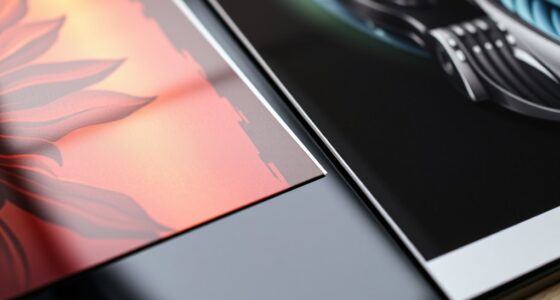
Precise multi-layer registration relies on flat substrates and clear registration marks for perfect alignment.
In multi-layer printing, registration accuracy depends heavily on your equipment and method. Many printers are equipped with registration systems that utilize mechanical or optical sensors to detect alignment marks, automatically adjusting the position of each layer. If your equipment lacks these features, manual adjustments become necessary. You should carefully calibrate your printer before starting the job, ensuring that each layer stacks precisely where it should be. Regular calibration checks, especially after maintenance or equipment shifts, help maintain consistent color alignment across runs. When setting up your job, pay close attention to your registration pins or registration systems, and verify their proper function. Small misalignments can have a significant impact on image quality, so take your time to fine-tune the registration process.
Another key tip is to use high-quality, consistent media and inks. Variations in material thickness or ink viscosity can affect registration accuracy because they alter how layers are deposited and adhere. Consistency in your media and ink supplies helps create predictable results, reducing the chances of misalignment. Additionally, consider the importance of proper drying or curing times between layers. If a layer isn’t fully dried, it can shift slightly when the next layer is applied, compromising registration. Allowing enough time for each layer to set ensures the layers stay in perfect registration, preserving sharpness and detail. Furthermore, understanding the impact of material consistency on registration accuracy can help you troubleshoot and improve your printing results.
Finally, always perform test prints before starting your full production run. These tests allow you to identify any registration issues early, giving you the opportunity to make necessary adjustments. With attention to detail, consistent calibration, and proper handling of materials, you can attain excellent registration accuracy and flawless color alignment in your multi-layer prints. This approach guarantees your final images look sharp, vibrant, and professional, meeting the high standards expected of multi-layer printing.
Top picks for "registration techniqu multi"
Open Amazon search results for this keyword.
As an affiliate, we earn on qualifying purchases.
Frequently Asked Questions
How Do Environmental Factors Affect Registration Accuracy?
Environmental impact can markedly affect registration accuracy by causing registration challenges. Temperature fluctuations make substrates expand or contract, leading to misalignment. Humidity levels can cause materials to swell or shrink, disrupting registration. Vibrations or airflow from environmental factors can shift prints during production. To maintain precision, you need to control these conditions closely, ensuring stable temperature, humidity, and minimal vibrations, so your multi-layer prints stay accurately aligned throughout the process.
What Are the Best Tools for Precise Registration?
You should use tools like precise alignment markers and color calibration devices for accurate registration. Alignment markers help you visually align each layer consistently, ensuring proper registration. Color calibration tools guarantee color accuracy across layers, preventing misregistration due to color mismatches. Combining these tools allows you to achieve sharp, multi-layer prints with consistent registration, reducing waste and reprints. Always verify your calibration and markers before starting your print run for best results.
How Can Digital Technology Improve Multi-Layer Print Registration?
Imagine perfect alignment every time—that’s what digital technology can do for your multi-layer prints. By leveraging advanced software, you improve registration calibration and guarantee color consistency across layers. This tech reduces errors, speeds up production, and delivers stunning accuracy. With just a few clicks, you can transform your process, making misalignments a thing of the past. The result? Crisp, vibrant prints that wow your clients and elevate your craft.
What Are Common Mistakes to Avoid During Registration?
You should avoid common mistakes like color misalignment and inconsistent registration, which can ruin your print quality. Always double-check your registration setup before printing, and verify your registration marks are accurate. Keep your printing equipment well-maintained to prevent shifts during production. If you notice misalignment early, pause and readjust rather than proceeding, as small errors can lead to significant issues in multi-layer prints.
How Does Substrate Variability Impact Registration Techniques?
Substrate variability and material inconsistencies can markedly impact your registration techniques. When the substrate varies in thickness or surface texture, it becomes harder to align layers precisely. You might experience misregistration or blurred images. To counter this, you need to adjust your registration settings dynamically, use flexible registration systems, and regularly check substrate uniformity. Being aware of these factors helps you maintain consistent, high-quality multi-layer prints despite substrate challenges.
Conclusion
Mastering registration techniques for multi-layer prints takes practice and patience. By carefully aligning each layer, you guarantee your final design looks professional and polished. Remember, “A job well done is worth doing twice,” so don’t rush the process. With attention to detail and steady hands, you’ll achieve crisp, vibrant results every time. Keep honing your skills, and your prints will speak for themselves—precision is the key to true artistry.