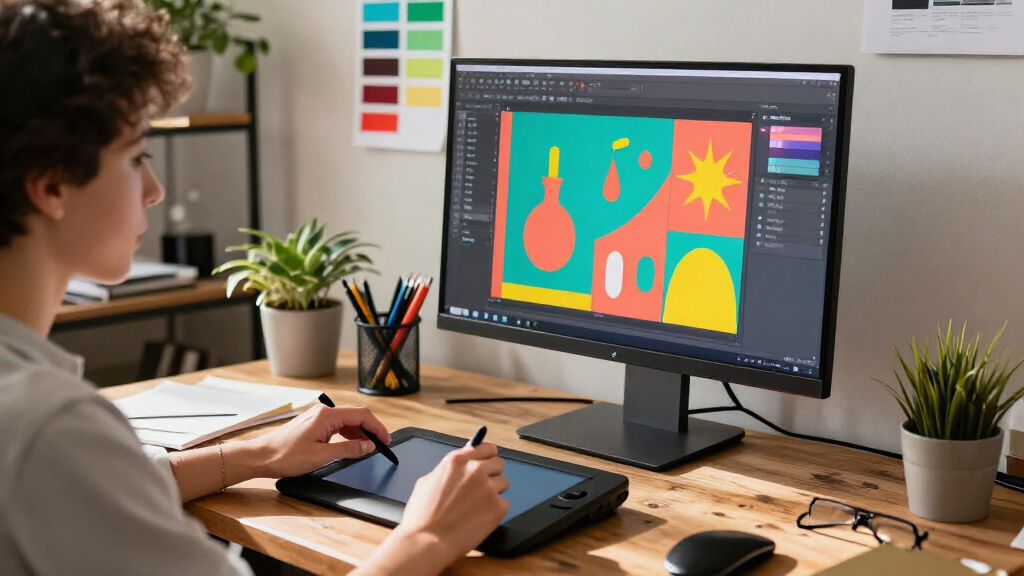
The best graphic design software for most people is CorelDRAW Graphics Suite 2026, thanks to its broad mix of vector illustration, page layout, and photo tools. Adobe Creative Cloud Pro is a strong alternative for people who need a wider range of creative apps, while CorelDRAW Essentials is a simpler starting point for basic projects. The main tradeoff is breadth versus simplicity: professional suites offer more room to grow but take longer to learn, while focused programs can feel easier but limit what you can make. Print-focused tools also suit invitations and home projects better than flexible design work. Read on for the full breakdown of all 11 options and how I’d match them to different needs.

Get art and craft supplies delivered free with Prime
- Fast, free delivery on millions of items
- Prime Video, Amazon Music and more included
- Member-only deals all year
Key Takeaways
- CorelDRAW Graphics Suite 2026 leads the roundup for its combination of vector work, page layout, and photo editing in one desktop suite.
- Adobe Creative Cloud Pro is the broader choice for people who need multiple kinds of creative applications, but that range can be more than a single-purpose designer needs.
- CorelDRAW Standard 2024 and CorelDRAW Essentials 2024 show the value of matching software scope to project complexity rather than defaulting to the largest suite.
- Print Artist Platinum 25 and PrintMaster v7 Platinum are oriented toward ready-made print projects, not open-ended professional design workflows.
- The lineup includes older releases and editions with different intended audiences, so buyers should check operating-system compatibility, included tools, and license terms before choosing.
| CorelDRAW Graphics Suite 2026 Graphic Design Software for PC and Mac |  | Best Overall | Platforms: Windows and macOS | Included applications: CorelDRAW, Corel PHOTO-PAINT, Corel Font Manager | Windows requirements: Windows 10 or 11 64-bit; 8 GB RAM; OpenCL 1.2-compatible graphics card with 3+ GB VRAM; 5.5 GB disk space | VIEW LATEST PRICE | See Our Full Breakdown |
| Adobe Creative Cloud Pro Student and Teacher Edition, 12-Month Subscription for PC and Mac |  | Best for Student Creators Across Media | Subscription duration: 12 months | Compatible platforms: PC and Mac | Edition: Student and Teacher | VIEW LATEST PRICE | See Our Full Breakdown |
| CorelDRAW Standard 2024 Graphic Design Software for Hobby or Home Business – Illustration, Layout, and Photo Editing (PC Download) |  | Best Value for Windows Hobbyists | Version: 2024 | Platform: Windows PC | Delivery method: Download | VIEW LATEST PRICE | See Our Full Breakdown |
| Corel PaintShop Pro 2023 Ultimate Photo Editing and Graphic Design Software for PC |  | Best for Photo-Led Design | Platform: PC | License: Subscription-free | Supported operating systems: Windows 10 (64-bit) and Windows 11 | VIEW LATEST PRICE | See Our Full Breakdown |
| CorelDRAW Graphics Suite 2026 Education Edition for PC and Mac |  | Best for Eligible Academic Programs | Platforms: Windows and macOS | Included applications: CorelDRAW, Corel PHOTO-PAINT, Corel Font Manager | Commercial use: Not permitted under the education edition | VIEW LATEST PRICE | See Our Full Breakdown |
| CorelDRAW Essentials 2024 Graphics Design Software for PC |  | Best for Beginner DIY Graphics | Platform: PC download | Operating system: Windows 10 (version 21H2 or later) or Windows 11, 64-bit | Processor: Intel Core i3/i5/i7/i9 or AMD Ryzen 3/5/7/9, Threadripper, or EPYC | VIEW LATEST PRICE | See Our Full Breakdown |
| Corel PaintShop Pro 2023 Ultimate Photo Editing and Graphic Design Software for PC |  | Best for Photo-Led Design Without a Subscription | Platform: PC download | Operating system: Windows 10 (64-bit) or Windows 11 | Minimum RAM: 4 GB | VIEW LATEST PRICE | See Our Full Breakdown |
| Nova Development Print Artist Platinum 25 |  | Best for Template-Driven Print Projects | Software format: DVD | Templates: More than 28,000 | Graphics: Over 377,000 | VIEW LATEST PRICE | See Our Full Breakdown |
| CorelDRAW Graphics Suite, 1-Year Subscription for PC and Mac |  | Best Professional Cross-Platform Suite | Subscription: 1 year | Platforms: Windows and Mac | Main applications: CorelDRAW, Corel PHOTO-PAINT, Corel Font Manager, CorelDRAW Web, and CAPTURE (Windows only) | VIEW LATEST PRICE | See Our Full Breakdown |
| GIMP 2.8 Image Editing Software with Clip Art, Photo Frames, and Manual |  | Best for Legacy-System Compatibility | Software version: Listed as GIMP 2.8; product details also conflict on whether it is version 2.10 | Compatibility: Windows 11, 10, 8.1, 8, 7, Vista, and XP (32-bit/64-bit), plus Mac | Included clip art: 20,000 images | VIEW LATEST PRICE | See Our Full Breakdown |
| PrintMaster v7 Platinum Design Software for PC |  | Best for Template-Led Print Projects | Platform: PC | Software version: PrintMaster v7 Platinum | Ready-made templates: 4,700+ | VIEW LATEST PRICE | See Our Full Breakdown |
More Details on Our Top Picks
CorelDRAW Graphics Suite 2026 Graphic Design Software for PC and Mac
I rank CorelDRAW Graphics Suite 2026 first for buyers who need one professional toolkit for vector artwork, page layout, photo editing, and font management. Its included CorelDRAW, PHOTO-PAINT, and Font Manager cover more of a design workflow than PaintShop Pro 2023 Ultimate, which puts photo editing at the center. The broad format support also helps when projects arrive as files from different design and publishing tools. New AI image and vector features, improved PowerTRACE, and a large asset library can speed up concept work and tracing, though the included generative credits are finite. This is a stronger fit for regular, varied design work than CorelDRAW Standard 2024, but it carries higher hardware demands and needs internet access for installation, authentication, and some online features.
Pros:- Combines vector illustration, page layout, photo editing, and font management in one suite.
- Runs on both Windows and macOS.
- Supports a broad range of design, image, and publishing file formats.
- Includes extensive creative assets and AI-assisted image and vector tools.
Cons:- Requires internet access for installation and authentication, with some features remaining online-dependent.
- Requires 8 GB RAM and a graphics card with at least 3 GB VRAM.
- The 2,000 included generative AI credits are limited.
Best for: Professional designers and small creative teams working across vector illustration, page layout, photo editing, and mixed file formats on Windows or Mac.
Not ideal for: Occasional hobbyists with older computers, or designers who need fully offline installation and use of every feature.
- Platforms:Windows and macOS
- Included applications:CorelDRAW, Corel PHOTO-PAINT, Corel Font Manager
- Windows requirements:Windows 10 or 11 64-bit; 8 GB RAM; OpenCL 1.2-compatible graphics card with 3+ GB VRAM; 5.5 GB disk space
- Mac requirements:macOS Tahoe 26, Sequoia 15, or Sonoma 14; Apple Silicon or AVX2-compatible Intel processor; 8 GB RAM; 3 GB disk space
- Included content:7,000 clipart items, digital images, and vehicle wrap templates; 1,000 photos; 1,000+ fonts; 200+ templates
- Generative AI credits:2,000
- File format support:AI, PSD, PDF, JPG, PNG, SVG, DWG, DXF, EPS, TIFF, HEIF, WebP, and more
- Installation and online access:Internet connection required
Our verdict“Choose CorelDRAW Graphics Suite 2026 if you need a cross-platform professional toolkit that handles more than photo editing or basic vector work.”
Adobe Creative Cloud Pro Student and Teacher Edition, 12-Month Subscription for PC and Mac
Adobe Creative Cloud Pro Student and Teacher Edition is the broadest choice here for eligible students and teachers who move between graphic design, video, documents, and social content. More than 20 apps include Photoshop and Illustrator, with Premiere Pro and Acrobat Pro extending the package beyond the design focus of CorelDRAW Graphics Suite 2026. That range can keep varied coursework and creative projects in one ecosystem, while 100GB of cloud storage, tutorials, templates, and fonts support collaborative study. Standard AI image and vector features are included without a stated usage limit, alongside monthly credits for premium AI video and audio features. The tradeoff is clear: this is a 12-month student-and-teacher edition, not a general-purpose standalone design license, and existing subscribers must finish their current membership term before linking it.
Pros:- Includes more than 20 creative apps, including Photoshop and Illustrator.
- Adds video, PDF, and other tools beyond the graphic design focus of CorelDRAW.
- Provides 100GB of cloud storage plus tutorials, templates, and fonts.
- Includes unlimited standard AI image and vector features and monthly premium AI credits.
Cons:- Intended for students and teachers rather than all buyers.
- The subscription lasts 12 months.
- Existing subscribers must complete their current membership term before linking the new subscription.
Best for: Eligible students and teachers who need graphic design apps alongside video editing, document tools, cloud storage, and learning resources.
Not ideal for: Designers who are not eligible for the student-and-teacher edition, or buyers seeking a standalone, design-only product without a 12-month subscription.
- Subscription duration:12 months
- Compatible platforms:PC and Mac
- Edition:Student and Teacher
- Included apps:20+
- Named apps:Photoshop, Illustrator, Premiere Pro, Acrobat Pro, Adobe Express, and others
- Cloud storage:100GB
- Standard AI features:Unlimited standard AI image and vector features
- Premium AI credits:4,000 monthly generative credits for premium AI video and audio features
Our verdict“Pick this edition if you qualify and want a connected suite for design coursework that also includes video, PDF, and other creative tools.”
CorelDRAW Standard 2024 Graphic Design Software for Hobby or Home Business – Illustration, Layout, and Photo Editing (PC Download)
CorelDRAW Standard 2024 is the practical pick for Windows users who want vector illustration, page layout, and basic photo editing without stepping up to the larger Graphics Suite. It pairs CorelDRAW Standard with PHOTO-PAINT Standard, so a home business can prepare flyers, brochures, and web graphics in one package. The included templates, fonts, photos, and clipart give new projects a starting point, and the tutorials may help users get past the learning curve. Compared with CorelDRAW Graphics Suite 2026, Standard is limited to Windows and comes with a smaller asset collection; it also lacks the newer suite’s stated AI tools and font-management application. Its interface can still feel busy to an absolute beginner, so the bundled guidance helps but does not make it a minimal tool.
Pros:- Combines vector illustration, page layout, and layer-based photo editing.
- Includes templates, clipart, photos, fills, and fonts to support common project types.
- Tutorials and tips can help users learn the interface.
- Enhanced file import and export support helps with mixed-format projects.
Cons:- Available for Windows PC only.
- Its feature-rich interface may overwhelm users new to design software.
- Its included asset library and stated toolkit are more limited than CorelDRAW Graphics Suite 2026.
Best for: Windows-based hobby designers and small home businesses creating flyers, brochures, and web graphics with occasional photo editing.
Not ideal for: Mac users, professionals needing the broader 2026 suite and its AI tools, or absolute beginners who want a very simple interface.
- Version:2024
- Platform:Windows PC
- Delivery method:Download
- Included software:CorelDRAW Standard and Corel PHOTO-PAINT Standard
- Clipart library:1,000 clipart images
- Included assets:100 high-resolution photos; 175 fonts; 20 photo frames; 900 fills
- Templates:60 professionally designed templates
Our verdict“Choose CorelDRAW Standard 2024 if you use Windows and need an all-in-one starter toolkit for home or hobby design without the broader 2026 suite.”
Corel PaintShop Pro 2023 Ultimate Photo Editing and Graphic Design Software for PC
Corel PaintShop Pro 2023 Ultimate suits PC users whose graphic design work starts with photographs: it combines RAW editing, object removal, HDR creation, batch processing, and AI-powered tools with graphic design features. Its subscription-free license is a useful contrast to Adobe Creative Cloud Pro’s 12-month subscription, while the Ultimate bundle adds Painter Essentials 8, PhotoMirage Express, and a ParticleShop brush pack. That makes it more appealing for image editing and creative effects than CorelDRAW Standard 2024, which centers on vector illustration and page layout. The compromise is that PaintShop Pro is not the strongest fit for a workflow built around dedicated vector drawing and multi-page layouts. The included applications also require separate installation, and internet access is still needed for installation and authentication.
Pros:- Includes RAW editing, object removal, HDR creation, and batch processing.
- Uses a subscription-free license.
- Bundles additional creative applications, assets, and a ParticleShop brush pack.
- Supports third-party plug-ins and graphics tablets.
Cons:- Runs on Windows only and does not support 32-bit Windows.
- Internet access is required for installation and authentication.
- Most bundled applications need separate installation, and the product is more photo-led than CorelDRAW Standard.
Best for: Windows photo editors and image-led designers who want RAW processing, object removal, batch edits, and bundled creative effects without a subscription license.
Not ideal for: Mac users or designers whose main work is professional vector illustration and page layout rather than photo editing.
- Platform:PC
- License:Subscription-free
- Supported operating systems:Windows 10 (64-bit) and Windows 11
- Memory:4 GB minimum; 8 GB recommended for AI features
- Required disk space:3 GB
- Graphics support:DirectX 11 or higher
- Display resolution:1366 × 768 minimum
- Included software and content:MultiCam Capture 2.0 Lite, Painter Essentials 8, PhotoMirage Express, Highlight Reel, Sea-to-Sky Workspace, Corel Creative Collection, and 50 fonts
- Bonus plug-in:ParticleShop with 5 Brush Starter Pack
Our verdict“Choose PaintShop Pro 2023 Ultimate if photo editing and creative effects matter more to your design work than a dedicated vector-and-layout suite.”
CorelDRAW Graphics Suite 2026 Education Edition for PC and Mac
CorelDRAW Graphics Suite 2026 Education Edition brings the same broad creative focus as the standard 2026 suite to eligible academic and nonprofit organizations: vector illustration, page layout, photo editing, and font management across Windows and macOS. Its large collection of templates, fonts, images, and other assets can support classroom exercises and shared creative projects, while AI image and vector tools add options for generating and refining artwork. Compared with Adobe Creative Cloud Pro Student and Teacher Edition, this is more centered on a single design suite rather than a collection of 20-plus apps. The decisive limitation is the license: commercial use is not permitted. It also needs internet access for installation and authentication, and its hardware requirements make it less suitable for older lab computers.
Pros:- Combines vector illustration, page layout, photo editing, and font management.
- Supports Windows and macOS.
- Includes AI tools and 2,000 generative AI credits.
- Provides a large collection of fonts, templates, images, fills, and brushes.
Cons:- Restricted to eligible academic and nonprofit organizations.
- Commercial use is not permitted.
- Requires internet access for installation and authentication, plus 8 GB RAM and a compatible graphics card with 3+ GB VRAM.
Best for: Eligible academic and nonprofit organizations using Windows or Mac for noncommercial design teaching, learning, and creative projects.
Not ideal for: Freelancers, businesses, and students producing paid work under this license, or labs without internet access and suitable graphics hardware.
- Platforms:Windows and macOS
- Included applications:CorelDRAW, Corel PHOTO-PAINT, Corel Font Manager
- Commercial use:Not permitted under the education edition
- Included content:7,000 clipart items, digital images, and vehicle wrap templates; 1,000 photos; 1,000+ fonts; 200+ templates; 600+ fills; 100+ brushes
- Generative AI credits:2,000
- Windows requirements:Windows 10 or 11 64-bit; 8 GB RAM; OpenCL 1.2-compatible graphics card with 3+ GB VRAM; 5.5 GB disk space
- Mac requirements:macOS Tahoe 26, Sequoia 15, or Sonoma 14; 8 GB RAM; OpenCL 1.2-compatible graphics card with 3+ GB VRAM; 3 GB disk space
- Internet connection:Required for installation and authentication, and for some components, online features, and content
Our verdict“Choose the Education Edition for eligible, noncommercial academic work that needs a full design suite, but use another license for paid projects.”
CorelDRAW Essentials 2024 Graphics Design Software for PC
CorelDRAW Essentials 2024 suits beginners who want to make invitations, greeting cards, calendars, and social graphics with a mix of vector illustration, page layout, and photo editing. Its on-screen hints offer a more guided starting point than the broader professional toolset in CorelDRAW Graphics Suite, while keeping common DIY tasks together in one Windows program. That focus is useful if you want to build a project from scratch rather than choose from a huge template library like Print Artist Platinum 25.
The tradeoff is a narrower platform and a demanding graphics requirement for entry-level creative software: it needs a compatible 64-bit Windows PC with at least 3 GB of video memory. Installation and authentication also require internet access, so it is a poor fit for offline setups.
Pros:- Combines vector illustration, page layout, and photo editing for varied DIY projects.
- On-screen hints can help newcomers learn the tools.
- Designed for practical projects such as invitations and social media images.
Cons:- Runs on Windows only.
- Requires internet access for installation and authentication.
- The graphics requirement of 3 GB of VRAM may exclude some basic PCs.
Best for: Windows beginners making invitations, greeting cards, calendars, or social graphics who want guided vector and layout tools.
Not ideal for: Mac users, offline installers, and owners of older PCs without a compatible graphics card with at least 3 GB of VRAM.
- Platform:PC download
- Operating system:Windows 10 (version 21H2 or later) or Windows 11, 64-bit
- Processor:Intel Core i3/i5/i7/i9 or AMD Ryzen 3/5/7/9, Threadripper, or EPYC
- Memory:8 GB RAM
- Storage:3 GB
- Graphics:OpenCL 1.2-enabled video card with 3+ GB VRAM
- Display:1280 × 720 at 100% (96 dpi)
- Internet:Required for installation, authentication, and some online features
Our verdict“Choose CorelDRAW Essentials 2024 for guided, everyday graphics work on a capable Windows PC, but skip it if you need Mac support or offline installation.”
Corel PaintShop Pro 2023 Ultimate Photo Editing and Graphic Design Software for PC
PaintShop Pro 2023 Ultimate is the photo-first choice in this group: it pairs correction, object removal, background changes, RAW editing, and HDR creation with graphic design tools. Its subscription-free model will appeal to buyers who prefer a standalone Windows application over the one-year commitment for CorelDRAW Graphics Suite. The Ultimate bundle also adds Painter Essentials 8, PhotoMirage Express, and other creative utilities, making it broader than a basic photo editor.
That breadth does not make it a substitute for CorelDRAW’s dedicated vector illustration and page-layout emphasis. Buyers focused on logos or multi-page layouts may prefer the suite; photo editors gain more here from AI-assisted edits and RAW workflows. Some bundled apps require separate installation, and internet access is still needed for setup, authentication, online features, and tutorial videos.
Pros:- Subscription-free editing and design software.
- Includes RAW editing, HDR creation, and AI-powered tools.
- Ultimate edition bundles several additional creative applications.
- Supports formats including Adobe PSD.
Cons:- Requires a 64-bit Windows PC; no Mac version is listed.
- Internet access is required for installation and authentication.
- Some bundled applications need separate installation.
Best for: Windows photo editors and hobby designers who want RAW, HDR, and AI-assisted tools in a subscription-free package.
Not ideal for: Mac users, buyers who mainly need professional vector illustration and page layout, or anyone seeking an entirely offline setup.
- Platform:PC download
- Operating system:Windows 10 (64-bit) or Windows 11
- Minimum RAM:4 GB
- Recommended RAM:8 GB for AI features
- Storage:3 GB
- Minimum display resolution:1366 × 768
- Subscription:Not required
- Included creative software:Painter Essentials 8, PhotoMirage Express, MultiCam Capture 2.0 Lite
- Internet connection:Required for installation, authentication, online features, and tutorial videos
Our verdict“Pick PaintShop Pro 2023 Ultimate if photo editing is central to your design work and you want a subscription-free Windows option rather than CorelDRAW’s vector-led suite.”
Nova Development Print Artist Platinum 25
Print Artist Platinum 25 prioritizes ready-made print projects over the flexible vector workflow of CorelDRAW Essentials 2024. Its library of more than 28,000 templates and over 377,000 graphics gives home, school, and office users many starting points for banners, brochures, calendars, greeting cards, and certificates. A photo editor, text customization, special effects, and a tutorial add useful finishing tools without requiring buyers to build every design element themselves.
This is the most template-led option here, which can speed up familiar print jobs but offers less evidence of a professional illustration or cross-platform workflow than CorelDRAW Graphics Suite. The DVD format may also be inconvenient on computers without an optical drive, and the product details do not name a supported operating system. Check compatibility before buying, especially if you are setting it up on a newer machine.
Pros:- Large collection of templates and graphics for print projects.
- Supports banners, brochures, calendars, certificates, greeting cards, and gift items.
- Includes photo editing, text customization, and special effects.
- A video tutorial can help new users get started.
Cons:- Distributed on DVD, which may be impractical on computers without an optical drive.
- The supplied details do not specify operating system compatibility.
- Its template-led approach is less suited to buyers seeking a professional vector design suite.
Best for: Home, school, and office users who regularly make cards, calendars, certificates, or other template-based print projects.
Not ideal for: Designers who need a flexible vector-illustration workflow, buyers without a DVD drive, or users who need confirmed compatibility with a specific operating system.
- Software format:DVD
- Templates:More than 28,000
- Graphics:Over 377,000
- Tools:Photo editor, text customization, special effects gallery, and CD photo slideshows
- Supported projects:Banners, brochures, calendars, certificates, greeting cards, and gift items
- Operating system compatibility:Not specified in the supplied product details
Our verdict“Choose Print Artist Platinum 25 for a wide selection of ready-made home and office print projects, but verify your computer can run it before purchasing.”
CorelDRAW Graphics Suite, 1-Year Subscription for PC and Mac
CorelDRAW Graphics Suite earns the professional-suite spot for buyers who need vector illustration, page layout, photo editing, and font management in one package. Compared with the more approachable, Windows-only CorelDRAW Essentials 2024, it covers a broader production workflow and supports both Windows and Mac. Desktop and web applications, extensive creative assets, and support for formats such as AI, PSD, SVG, and PDF make it a stronger fit for projects that move between tools and file types.
The tradeoff is commitment and complexity: this edition is a one-year subscription, unlike the subscription-free PaintShop Pro 2023 Ultimate. Internet access is needed for installation and authentication, while some features and content rely on online access; CAPTURE is Windows-only. This is the most capable all-round design option in this batch, but casual users may not need its breadth.
Pros:- Combines vector illustration, page layout, photo editing, and font management.
- Supports Windows and Mac and includes desktop and web applications.
- Includes a substantial library of templates, fonts, images, fills, and brushes.
- Works with a wide range of popular graphics and publishing formats.
Cons:- Requires a one-year subscription.
- Internet access is required for installation and authentication, and some features or content are online-dependent.
- CAPTURE is available on Windows only.
Best for: Professional designers and small creative teams on Windows or Mac who need vector, layout, photo, and font tools with broad file compatibility.
Not ideal for: Casual DIY users who only make occasional graphics, buyers avoiding subscriptions, or users who need every application and feature to work offline on both platforms.
- Subscription:1 year
- Platforms:Windows and Mac
- Main applications:CorelDRAW, Corel PHOTO-PAINT, Corel Font Manager, CorelDRAW Web, and CAPTURE (Windows only)
- Included content:7,000 clipart images and vehicle wrap templates; 1,000 digital photos; 1,000+ fonts; 500+ templates; 600+ fills; 200+ brushes
- Supported formats:AI, PSD, PDF, JPG, PNG, SVG, DWG, DXF, EPS, TIFF, HEIF, WebP, and more
- Internet connection:Required for installation and authentication and for some features and content
Our verdict“Choose CorelDRAW Graphics Suite for a broad, cross-platform professional workflow, provided its annual subscription and online requirements suit your setup.”
GIMP 2.8 Image Editing Software with Clip Art, Photo Frames, and Manual
GIMP 2.8 is the legacy-compatible pick for buyers whose Windows computer is outside the requirements listed for newer options such as CorelDRAW Essentials 2024. This package combines image editing tools for corrections, layers, filters, and effects with 20,000 clip art images, 10,000 photo frames, and a 900-page English PDF manual. That makes it more of a bundled image-editing resource than a polished, all-in-one vector and layout suite like CorelDRAW Graphics Suite.
Compatibility claims cover Windows versions from XP through Windows 11 as well as Mac, but the product details conflict on whether the included software is version 2.8 or 2.10. That uncertainty makes it harder to know exactly what you will receive. Buyers should also be comfortable with an older software version and a digital manual; this is a specialized fit, not my first choice for a current professional design workflow.
Pros:- Includes image-editing tools for corrections, layers, filters, and effects.
- Bundles 20,000 clip art images and 10,000 photo frames.
- Comes with a detailed 900-page English PDF manual.
- Lists compatibility with Windows versions from XP through Windows 11, plus Mac.
Cons:- Product details conflict on whether the software version is 2.8 or 2.10.
- The manual is a PDF rather than a printed guide.
- Its image-editing focus does not match the broader vector and layout workflow of CorelDRAW Graphics Suite.
Best for: Users with older Windows computers who want an image-editing package with bundled clip art, photo frames, and a detailed PDF guide.
Not ideal for: Designers who need a clearly identified current software version, a dedicated professional vector and layout suite, or a printed manual.
- Software version:Listed as GIMP 2.8; product details also conflict on whether it is version 2.10
- Compatibility:Windows 11, 10, 8.1, 8, 7, Vista, and XP (32-bit/64-bit), plus Mac
- Included clip art:20,000 images
- Included photo frames:10,000
- Manual:900-page English PDF
- Support:Free email support
Our verdict“Consider this GIMP package if older-system compatibility and bundled image assets matter most, but skip it if version certainty or a modern, full design suite is a priority.”
PrintMaster v7 Platinum Design Software for PC
PrintMaster v7 Platinum is geared toward making cards, calendars, flyers, and other print-ready personal projects without starting from a blank canvas. Its library of 4,700+ ready-made templates and 165,000+ images and photographs gives hobbyists plenty of starting material, while drag-and-drop tools and photo editing help adapt designs. The included commercial-use images also make it more useful for simple promotional materials than a purely personal-printing tool.
Compared with CorelDRAW Essentials 2024, PrintMaster puts more emphasis on prebuilt layouts and a broad image library than on general-purpose illustration. That focus makes routine print projects approachable, but it is a limitation for designers who need flexible, professional vector workflows or broad creative capabilities. It runs on PC, and project imports are limited to named earlier PrintMaster versions, so owners of other design software should not expect a smooth migration.
Pros:- Large selection of ready-made templates and images for varied print projects
- Includes royalty-free and commercial-use assets for eligible business designs
- Drag-and-drop tools and photo editing support quick customization
- Projects can be printed, emailed, or published online
Cons:- Project import compatibility is limited to specified older PrintMaster versions
- PC-only platform excludes Mac users
- Template-centered approach is less suited to advanced, from-scratch graphic design workflows
Best for: PC users who regularly make cards, calendars, newsletters, or basic business materials and prefer adapting templates over building layouts from scratch
Not ideal for: Professional designers, Mac users, and people who need advanced vector illustration or to import projects from software outside the listed PrintMaster versions
- Platform:PC
- Software version:PrintMaster v7 Platinum
- Ready-made templates:4,700+
- Royalty-free templates:400+
- Images and photographs:165,000+
- Commercial-use images:10,000+
- Project types:Cards, calendars, postcards, scrapbooks, signs, newsletters, banners, business cards, and more
- Import compatibility:PrintMaster versions 2011, 2012, 5.0, and 6.0
Our verdict“Choose PrintMaster v7 Platinum for accessible, template-driven print projects on PC, but pick CorelDRAW Essentials 2024 if flexible illustration matters more than prebuilt layouts.”
How We Picked
I ranked these options by how well they support common graphic design work: vector illustration, page layout, image editing, print projects, and the ability to move between those tasks. I also weighed usability against creative control. A flexible suite can serve more kinds of projects, but it may take longer to learn; a focused or template-led program can make a narrow task easier while limiting custom work.
That puts CorelDRAW Graphics Suite 2026 first for its broad desktop design scope, with Adobe Creative Cloud Pro close behind for buyers who want a wider app collection. More focused CorelDRAW editions rank lower because they trade breadth for a narrower feature set, while PaintShop Pro, GIMP, and the print-project programs are better fits for specific workflows than for general-purpose design. I treat education editions and older releases as conditional picks, since eligibility, compatibility, and license details can change their suitability.
Factors to Consider When Choosing Best Graphic Design Software
Before choosing software, I’d start with the work you expect to make and the files you need to deliver. A tool that is comfortable for photo edits may be awkward for logos, while a template-based program may be quick for a greeting card but restrictive for original layouts. These factors can help you avoid paying for complexity you will not use—or choosing a simple app that becomes a bottleneck.
Match the software to your main design format
Decide whether your regular work is mainly vector artwork, page layout, photo editing, or print templates. Vector tools suit logos and illustrations that need to scale cleanly; photo editors focus on adjusting and compositing images; layout tools arrange text and artwork across a page. All-in-one suites are useful when projects cross those boundaries, but their extra tools can add learning overhead. A common mistake is choosing based on one appealing feature without checking whether the program handles your everyday file types and output needs. Write down two or three likely projects and choose around those, rather than around a vague promise of doing everything.
Think about how much creative control you need
Template-led software favors speed, while full design suites usually offer more room to build layouts and artwork from scratch. Templates can be a sensible fit for invitations, labels, cards, and family projects, especially when consistency matters more than custom control. They can become limiting if you need precise brand rules, unusual dimensions, or reusable professional assets. On the other hand, a large toolset does not automatically make a project better; it can slow down someone who only needs straightforward print designs. Choose the level of control your work calls for, not the highest feature count.
Check compatibility and file handoff before committing
Design work often needs to move between computers, print providers, clients, and other applications, so file compatibility is part of the workflow, not an afterthought. Check which formats the software can import and export, and confirm that those formats preserve the layers, text, or vector shapes your projects require. If someone else will edit your files, ask which tools they use before selecting a format. Older versions may suit an existing setup, but operating-system support and current file compatibility deserve extra scrutiny. A small test project can reveal handoff problems before you build a larger body of work.
Compare license terms with how you work
Software editions can differ by subscription, fixed-term access, educational eligibility, or other license conditions. Read the license details carefully to learn what happens when access ends, which devices are covered, and whether the edition is restricted to students or teachers. Do not assume that a product name alone tells you what is included: bundles and editions may have different tools or rights. For occasional projects, ongoing access may be less appealing than a version you can keep using, while frequent updates and a wider app collection may suit a subscription. Choose around your expected use and confirm the current terms before purchase.
Choose a learning curve you can live with
The time needed to learn a program affects whether you will use its capabilities at all. Beginner-friendly does not mean capable only of simple work, but focused interfaces often provide fewer advanced controls than a full professional suite. Before choosing, check whether the available manuals, tutorials, and community help match your learning style. A broad suite can be a good long-term choice if you plan to build design skills, but it may frustrate someone who just wants to produce a few finished print projects. Match the software’s complexity to both your current confidence and the effort you are willing to invest.
Separate home-print needs from professional production
Software designed around cards, calendars, or other home-print projects may make common tasks feel direct, but professional production can demand more control. Check whether your printer or print service requires particular output formats, dimensions, color handling, or bleed settings. A quick template workflow may not cover those needs, while a full design suite can offer more control at the cost of extra setup. It is also easy to confuse attractive on-screen previews with print-ready files. Confirm the output requirements of the actual destination before selecting a program for a print-heavy workflow.
Frequently Asked Questions
Which option makes the most sense if I need to design logos and printed pages?
I would start with a broad vector-and-layout suite such as CorelDRAW Graphics Suite 2026, since that combination supports both scalable artwork and arranged page designs. If your work also depends on a large mix of creative applications, Adobe Creative Cloud Pro may fit better. A focused photo editor or print-template program is less suited to producing a varied set of original brand assets. Before deciding, check the file formats your printer or client requests. That can rule out a tool that otherwise seems appealing.
Should I choose CorelDRAW Graphics Suite or Adobe Creative Cloud Pro?
The choice depends on whether you want a focused design suite or a broader collection of creative apps. CorelDRAW Graphics Suite is a more direct fit when vector illustration, layout, and related desktop design tasks are central. Adobe Creative Cloud Pro may make more sense when your work spans several creative disciplines and you expect to use multiple applications. The wider scope can also mean more tools to learn than a buyer with a narrow workflow needs. Compare the included applications and license terms against your actual projects before choosing.
Is a simpler or template-based program enough for occasional projects?
It can be, especially if your projects are familiar print pieces such as cards, invitations, or basic home-business materials. Programs such as Print Artist Platinum 25 and PrintMaster v7 Platinum are aimed more at guided print projects than open-ended design work. That focus can save setup time, but it may restrict custom layouts or reusable brand assets. If you expect to move from occasional projects into client work, a more flexible design application may be a better foundation. Decide based on the kinds of changes you need to make, not just how quickly a template looks finished.
Can I use GIMP or PaintShop Pro instead of a full graphic design suite?
They can suit workflows centered on editing and compositing images, but a photo-focused tool is not automatically a full replacement for vector illustration and page layout software. GIMP is a separate option for image editing, while PaintShop Pro combines photo work with some design capabilities. If you mainly adjust photographs or create image-based graphics, that focus may be sufficient. For logos, scalable illustrations, and multi-page layouts, check the specific vector and layout tools you need before relying on either one. Also verify compatibility for the particular release you plan to use.
What should I verify before buying an older release or an education edition?
Check the supported operating systems, activation requirements, included features, and whether the license can be used for your intended work. Older releases may be appropriate for a compatible computer or an established workflow, but they can lack newer support or fit less well with current file handoffs. Education editions may require proof of eligibility and can have use restrictions. Product listings can also group distinct editions or license types under similar names, so confirm exactly what is included. When possible, compare the stated requirements with your computer and the output needs of your projects.
Conclusion
For the best overall balance, I’d choose CorelDRAW Graphics Suite 2026 for buyers who need vector work, layout, and photo tools in one desktop package. For a broad premium creative workflow, Adobe Creative Cloud Pro is the stronger fit if you will use its wider application range. For a value-minded home or small-business workflow, CorelDRAW Standard 2024 offers a more focused route than the flagship suite, while CorelDRAW Essentials 2024 is the beginner-friendly pick for simpler design tasks. For photo-led projects, look at PaintShop Pro or GIMP; for guided cards and print projects, consider Print Artist or PrintMaster. Check edition, compatibility, and license details before making the final choice, especially for older releases and education versions.
Halloween Picks
halloween
As an affiliate, we earn on qualifying purchases.