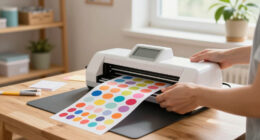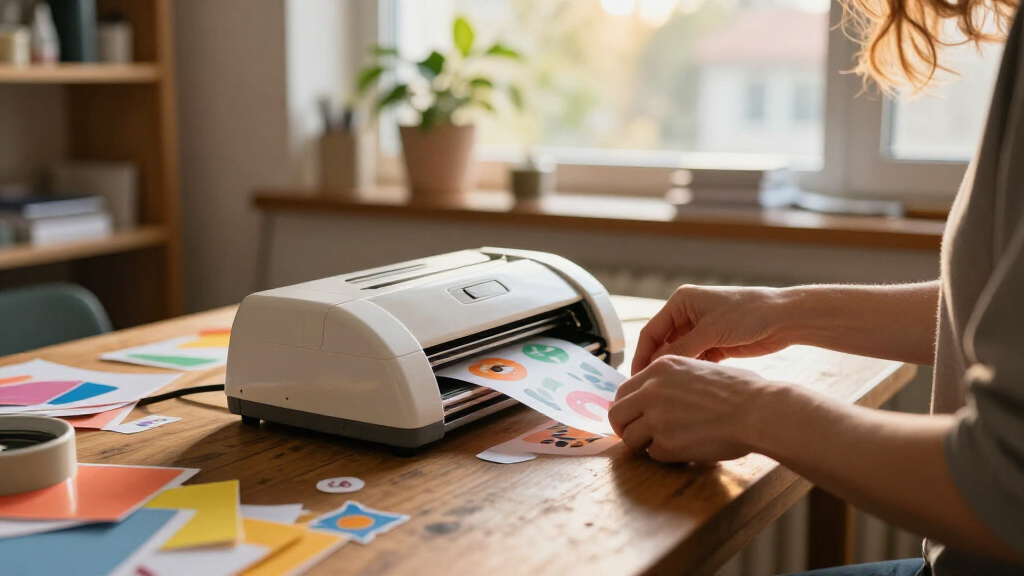
The best sticker making machines depend on whether you need to print designs, cut custom shapes, or simply add adhesive to ready-made images. For an all-in-one starting point, I recommend the Liene PixCut S1 Inspire Kit, which pairs color printing with cutting; the Cricut Maker 4 bundle suits buyers seeking a broader craft-cutting setup, while the Xyron Create-a-Sticker 5-Inch offers a simpler manual route. The main tradeoff is between creative control and setup complexity on one side, and portability and ease of use on the other. Kids’ models and mini thermal printers serve narrower needs, but they are not substitutes for full-color print-and-cut systems. Read on for the full breakdown and help matching a machine to your projects.

Get art and craft supplies delivered free with Prime
- Fast, free delivery on millions of items
- Prime Video, Amazon Music and more included
- Member-only deals all year
Key Takeaways
- Print-and-cut capability separates the most versatile picks. The Liene PixCut S1 models combine color printing and cutting, while Xyron machines apply adhesive to material you provide.
- The Inspire Kit and standard PixCut S1 serve similar core tasks. Buyers should compare the included kit contents and choose based on what supplies and accessories they need to start.
- Cricut and Likcut bundles bring vinyl-cutting versatility. That broader capability can support more craft projects, but brings a different learning and setup commitment than a dedicated sticker maker.
- Manual Xyron models trade automation for simplicity. Their narrower purpose can make more sense for occasional labels and small projects than buying a connected printer-cutter.
- Kids’ kits and thermal mini printers are purpose-built options. Educational Insights, Hello Blink, HiMont, and TYPONOS focus on accessible or compact sticker-making rather than the full-color craft workflow of the leading systems.
| Liene PixCut S1 Inspire Kit Color Sticker Printer and Cutting Machine |  | Best Overall for Ready-to-Make Color Stickers | Printer type: Thermal dye-sublimation | Print resolution: 300 x 300 dpi | Connectivity: Bluetooth | VIEW LATEST PRICE | See Our Full Breakdown |
| Liene PixCut S1 Color Sticker Printer and Cutting Machine |  | Best for App-Based Custom Designs | Printer type: Thermal dye-sublimation | Print resolution: 300 dpi | Color depth: 24 bpp | VIEW LATEST PRICE | See Our Full Breakdown |
| Xyron 3-Inch Sticker Maker with Permanent Adhesive |  | Best for Wider No-Power Craft Projects | Maximum item width: 3 inches | Included adhesive: 20 feet of permanent adhesive | Power: No electricity required | VIEW LATEST PRICE | See Our Full Breakdown |
| Xyron X150 Sticker Maker, 1.5-Inch, Portable |  | Best Refillable Mini Adhesive Maker | Maximum sticker width: 1.5 inches | Included adhesive: 20 feet of permanent adhesive | Refillable: Yes | VIEW LATEST PRICE | See Our Full Breakdown |
| Hello Blink Portable Bluetooth Sticker Maker and Thermal Printer for Kids |  | Best for Kids’ Portable Sticker Crafts | Printer type: Thermal | Connectivity: Bluetooth | Resolution: 300 x 300 | VIEW LATEST PRICE | See Our Full Breakdown |
| Cricut Maker 4 Sticker Making Bundle, Seashell |  | Best Full-Size Cutting Bundle | Brand: Cricut | Model: z20-11084-N4 | Color: Seashell | VIEW LATEST PRICE | See Our Full Breakdown |
| FirstZi A3+ Automatic-Feed Sticker Die-Cutting Machine |  | Best for Batch Cutting | Brand: FirstZi | Model: FZ-A13 | Feed capacity: Up to 100 sheets | VIEW LATEST PRICE | See Our Full Breakdown |
| Educational Insights 3D Sticker Maker Kit |  | Best for Kids’ Shaker Stickers | Brand: Educational Insights | Model: 1525 | Age range: 5 years and up | VIEW LATEST PRICE | See Our Full Breakdown |
| HiMont A12 AI Voice Sticker Maker for Kids, Red |  | Best for Voice-Prompted Sticker Ideas | Brand: HiMont | Model: A12 | Printer type: Thermal | VIEW LATEST PRICE | See Our Full Breakdown |
| TYPONOS PM290 Mini Sticker Printer |  | Best Compact Label-and-Note Printer | Printer type: Thermal | Print output: Monochrome | Connectivity: Bluetooth via the Labelnize app | VIEW LATEST PRICE | See Our Full Breakdown |
| Likcut S41 Vinyl Cutter Machine and Printable Sticker Maker Bundle |  | Best Starter Bundle for Custom-Cut Stickers | Brand and model: LIKCUT S41 | Operation mode: Automatic | Active cutting area: 8.5-inch precision cutting | VIEW LATEST PRICE | See Our Full Breakdown |
| Xyron Create-a-Sticker 5-Inch Manual Sticker Maker |  | Best for Quick, No-Power Adhesive Application | Brand and model: Xyron XRN500EN | Operation mode: Manual | Maximum item width: 5 inches | VIEW LATEST PRICE | See Our Full Breakdown |
| Cricut StickerPix Print + Cut Essential Bundle, Sea Green |  | Best Compact All-in-One Sticker Printer | Printer type: Dye sublimation | Output: Color | Functions: Prints, laminates, and cuts stickers and labels | VIEW LATEST PRICE | See Our Full Breakdown |
| Xyron Create-A-Sticker Mini 2.5-Inch Sticker and Label Maker |  | Best Compact Pick for Small Crafts | Brand and model: Xyron XRN250-CFTEN | Maximum material width: 2.5 inches | Included adhesive: 2.5-inch x 10-foot permanent adhesive cartridge | VIEW LATEST PRICE | See Our Full Breakdown |
| sticker making machine | Dimensions | Weight |
|---|---|---|
| Liene PixCut S1 Inspire Kit Co | 11.06 x 7.72 x 4.13 inches | 2.9 kg |
| Liene PixCut S1 Color Sticker | 11 x 7.7 x 4.1 inches | 6.2 pounds |
| Xyron 3-Inch Sticker Maker wit | 3.8 x 2 x 4 inches | 5.28 ounces |
| Xyron X150 Sticker Maker | 4 x 4 x 4 inches | 4.8 ounces |
| Hello Blink Portable Bluetooth | — | 0.44 kg |
| Cricut Maker 4 Sticker Making | — | — |
| FirstZi A3+ Automatic-Feed Sti | — | — |
| Educational Insights 3D Sticke | — | — |
| HiMont A12 AI Voice Sticker Ma | 3.15 × 3.15 × 3.15 in | 230 g |
| TYPONOS PM290 Mini Sticker Pri | — | — |
| Likcut S41 Vinyl Cutter Machin | — | — |
| Xyron Create-a-Sticker 5-Inch | 5.91 x 9.06 x 5.91 inches | 0.5 kg |
| Cricut StickerPix Print + Cut | 8 x 11.3 x 4.1 inches (D x W x H) | — |
| Xyron Create-A-Sticker Mini 2. | 5.5 x 5.5 x 6.5 inches | — |
More Details on Our Top Picks
Liene PixCut S1 Inspire Kit Color Sticker Printer and Cutting Machine
The PixCut S1 Inspire Kit earns my top spot for buyers who want printing and cutting in one machine, rather than adding adhesive to pre-made images by hand. Its 300 dpi dye-sublimation output is designed for colorful photos and labels, while the included sheets give new owners material for both photo printing and sticker projects. The Bluetooth workflow lets you create from a compatible device, though it also ties editing and creation to the Liene app. Compared with the standard Liene PixCut S1, this kit’s main advantage is its substantial bundled supply of 36 photo sheets and 144 sticker sheets—not a different core printing approach. The tradeoff is pace: a listed speed of one page per minute makes it a better fit for personal projects than batches that need to be finished quickly.
Pros:- Combines color printing and cutting in one machine
- Includes 36 photo sheets and 144 sticker sheets
- Bluetooth supports creation from compatible phones, tablets, and laptops
- Sticker output is described as waterproof and scratch-resistant
Cons:- Listed print speed is one page per minute
- Editing and creation require the Liene app
Best for: Crafters and families who want a single Bluetooth-connected device for printing and cutting colorful stickers, with plenty of included paper to start.
Not ideal for: People who need fast, high-volume sticker production or prefer designing without a companion app.
- Printer type:Thermal dye-sublimation
- Print resolution:300 x 300 dpi
- Connectivity:Bluetooth
- Maximum media size:4 x 7 inches
- Included paper:36 photo sheets and 144 sticker sheets
- Print speed:1 page per minute
- Dimensions:11.06 x 7.72 x 4.13 inches
- Weight:2.9 kg
Our verdict“Choose the Inspire Kit if you want an all-in-one color sticker workflow and a large starter paper supply, but skip it for fast batch production.”
Liene PixCut S1 Color Sticker Printer and Cutting Machine
The standard Liene PixCut S1 is a strong match for makers who want one compact machine to print and cut custom color stickers, labels, and designs. Its AI image extraction tools in the companion app can help separate a subject from its background before cutting, which is useful for turning phone images into sticker shapes without a separate design program. Like the PixCut S1 Inspire Kit, it uses 300 dpi dye-sublimation printing and Bluetooth; the Inspire Kit is the clearer choice if a large bundle of photo and sticker paper matters. This version’s appeal is the app-led design workflow, not a faster output rate—the listed speed is one page per minute. Its reliance on the companion app may also frustrate buyers who want a more independent or desktop-centered process.
Pros:- Prints and precision-cuts designs in one device
- 300 dpi color dye-sublimation output
- Companion app includes AI image extraction and design tools
- Stickers are described as waterproof and scratch-resistant
Cons:- Mobile design and printing depend on the companion app
- Listed black-and-white print speed is one page per minute
Best for: Phone- and tablet-based crafters who want app tools for extracting image subjects and producing custom printed-and-cut stickers.
Not ideal for: Makers who avoid companion apps, need faster output, or want a clearly specified large starter paper bundle.
- Printer type:Thermal dye-sublimation
- Print resolution:300 dpi
- Color depth:24 bpp
- Connectivity:Bluetooth
- Supported controllers:Android and iOS
- Output:Color
- Dimensions:11 x 7.7 x 4.1 inches
- Weight:6.2 pounds
Our verdict“Pick this PixCut S1 for app-assisted custom image cutting; choose the Inspire Kit instead if bundled paper is a priority.”
Xyron 3-Inch Sticker Maker with Permanent Adhesive
The Xyron 3-Inch Sticker Maker takes a different route from the Liene PixCut S1 models: it does not print or digitally cut designs, but applies adhesive to artwork and other flat materials you already have. Its three-inch width gives it more room than the Xyron X150’s 1.5-inch limit, making it a better manual option for larger paper pieces, photos, and craft shapes. There is no electricity, warm-up, or drying time, so it suits quick, small-scale craft sessions where a printed sticker machine would add more setup than needed. The tradeoff is that the unit is single-use, and its adhesive is not water resistant. Choose it for straightforward indoor crafts, not durable outdoor labels or newly printed designs.
Pros:- Works without electricity, warm-up, or drying time
- Accepts flat items up to 3 inches wide
- Uses acid-free, non-toxic permanent adhesive
- Can handle photos, fabric, paper, ribbon, and craft foam
Cons:- Single-use unit must be replaced when the adhesive roll runs out
- Adhesive is not water resistant
- Does not print or digitally cut designs
Best for: Paper crafters, scrapbookers, and families who need a portable, electricity-free way to add permanent adhesive to flat items up to three inches wide.
Not ideal for: Buyers who want a printer and cutter, reusable equipment, water-resistant stickers, or to process pieces wider than three inches.
- Maximum item width:3 inches
- Included adhesive:20 feet of permanent adhesive
- Power:No electricity required
- Water resistance:Not water resistant
- Reusability:Single use
- Dimensions:3.8 x 2 x 4 inches
- Weight:5.28 ounces
- Adhesive:Permanent, acid-free, non-toxic
Our verdict“Choose this Xyron for fast, manual adhesive application on wider craft pieces, not for printing original stickers.”
Xyron X150 Sticker Maker, 1.5-Inch, Portable
For very small pieces, the Xyron X150 is a compact way to turn paper, photos, ribbon, or fabric into stickers without a printer, power cord, or wet adhesive. Its distinguishing feature against the Xyron 3-Inch Sticker Maker is refillability: the X150 accepts separately available cartridges, while the wider model is listed as single-use. That makes this the more practical pick for someone who regularly makes narrow labels or small embellishments and wants to keep the same tool. The capacity is the clear compromise: a 1.5-inch maximum width excludes many larger designs, and this device only adds adhesive—it cannot print or cut artwork. Repositionable cartridges are sold separately, so the included permanent cartridge is best for projects where placement is meant to last.
Pros:- Refillable with separately available cartridges
- Adds adhesive without electricity, mess, or drying time
- Works with paper, photos, ribbon, and fabric
- Small and lightweight for portable craft use
Cons:- Limited to materials up to 1.5 inches wide
- Repositionable adhesive cartridges are sold separately
- Does not print or cut designs
Best for: Frequent scrapbookers and paper crafters making narrow labels or small embellishments who want a portable manual tool with replaceable cartridges.
Not ideal for: People making larger stickers, wanting printed designs, or needing repositionable adhesive without buying another cartridge.
- Maximum sticker width:1.5 inches
- Included adhesive:20 feet of permanent adhesive
- Refillable:Yes
- Power:Non-electric
- Adhesive type:Acid-free, non-toxic
- Dimensions:4 x 4 x 4 inches
- Weight:4.8 ounces
- Warranty:1-year limited warranty
Our verdict“Choose the X150 for recurring small-format adhesive projects; the Xyron 3-Inch model handles wider pieces but is not refillable.”
Hello Blink Portable Bluetooth Sticker Maker and Thermal Printer for Kids
The Hello Blink Portable Bluetooth Sticker Maker is aimed at children who want to print from a phone or tablet and then add hand-drawn details with the included markers. Its thermal printing means there is no ink to replace, and the two sticker paper rolls give kids material for crafts, scrapbooks, and personalizing school supplies. Compared with the Liene PixCut S1, this is the simpler, kid-focused option: the Liene combines printing with precision cutting and offers a more defined custom sticker workflow, while Hello Blink centers on portable printing and marker play. Its listed capacity is modest—10-sheet maximum capacity and two-sheet output capacity—so it is better suited to small projects than extended batches. Buyers should also note the product data does not specify waterproof output.
Pros:- Thermal printing works without ink
- Bluetooth printing from a phone or tablet
- Compact and portable
- Includes two sticker paper rolls and four markers
Cons:- Maximum sheet capacity is 10, with a two-sheet output capacity
- Does not offer the documented print-and-precision-cut workflow of the Liene PixCut S1
- Water resistance is not specified in the supplied product data
Best for: Children aged 8 and up who want a portable Bluetooth thermal printer for small sticker projects, with markers included for hands-on decorating.
Not ideal for: Adults seeking precise cut shapes, large sticker batches, or sticker output with stated water resistance.
- Printer type:Thermal
- Connectivity:Bluetooth
- Resolution:300 x 300
- Included items:2 sticker paper rolls, 4 markers, labels, and printer
- Recommended age:8+
- Maximum sheet capacity:10
- Output sheet capacity:2
- Weight:0.44 kg
Our verdict“Choose Hello Blink for children’s small, marker-enhanced sticker crafts, but opt for the Liene PixCut S1 when precise cutting is the priority.”
Cricut Maker 4 Sticker Making Bundle, Seashell
This bundle is the strongest fit here for makers who want to design and cut custom printed stickers alongside vinyl decals and labels. Cricut Maker 4 works with Cricut Design Space and an inkjet printer for Print Then Cut projects, while the included sticker paper, vinyl, tools, and project guidance help get a first project underway. Compared with the FirstZi A3+ Automatic-Feed, this package emphasizes an approachable mix of materials and project support rather than high-volume sheet feeding and listed cutting measurements. The tradeoff is that printed projects depend on owning or adding an inkjet printer, and the bundle’s water-resistance description does not establish full waterproof performance. I’d choose it for a flexible home craft setup, not for unattended production batches or outdoor stickers that must withstand heavy exposure to water.
Pros:- Includes sticker paper, adhesive vinyl, tools, and project guidance
- Print Then Cut supports custom designs printed with an inkjet printer
- Can make stickers, labels, and decals from a single craft setup
- Works with computers and mobile devices
Cons:- Print Then Cut projects require a separate inkjet printer
- Water resistance is described, but full waterproof performance is not established
- The bundle’s broader craft setup may be more than someone seeking a small label printer needs
Best for: Home crafters who want one guided bundle for printed stickers, vinyl decals, and labels and already have access to an inkjet printer
Not ideal for: Buyers who need a standalone printer-and-cutter system, high-volume automatic sheet feeding, or stickers with confirmed waterproof performance
- Brand:Cricut
- Model:z20-11084-N4
- Color:Seashell
- Operation mode:Automatic
- Compatible devices:Computers, mobile devices, and inkjet printers
- Included components:Cricut Maker 4 machine, materials, tools, and project guidance
- Warranty:1 year against manufacturer defects
Our verdict“Choose the Maker 4 bundle if you want a guided, versatile cutting setup for printed stickers and vinyl projects and can supply an inkjet printer.”
FirstZi A3+ Automatic-Feed Sticker Die-Cutting Machine
The FirstZi stands apart for buyers who need to process sheets in quantity: its automatic feeder holds up to 100 sheets, and its adjustable pressure is designed to accommodate adhesive paper, vinyl, and cardboard. A high-precision sensor helps align cuts, while the stated cutting width reaches 320 mm. Against the Cricut Maker 4 bundle, this is the more production-minded choice; the Cricut package includes materials and project guidance, while FirstZi’s appeal is its feed capacity and machine specifications. That focus brings practical limits. Its listed operating-system support stops at Windows 10, and every sheet needs a 5 mm blank margin on all sides, which reduces usable material. I’d shortlist it for a Windows-based workspace producing repeated sheet jobs, but not for buyers who want a simple, broadly compatible starter kit.
Pros:- Automatic feeder accepts up to 100 sheets
- Adjustable 50–800 g cutting pressure offers settings for different materials
- Sensor supports alignment, including on angled material
- Cuts adhesive paper, vinyl, and cardboard
Cons:- Listed operating-system compatibility ends at Windows 10
- Requires a 5 mm blank margin on every side of the material
- Machine-focused package is less of a ready-to-start materials bundle than the Cricut Maker 4
Best for: Windows-based makers or small production workspaces that regularly cut multiple sticker or label sheets from compatible materials
Not ideal for: Mac users, people on newer Windows versions who need confirmed support, and crafters who want included design materials or no-margin layouts
- Brand:FirstZi
- Model:FZ-A13
- Feed capacity:Up to 100 sheets
- Maximum feed width:340 mm
- Maximum cutting width:320 mm
- Cutting pressure:50–800 g, 160 adjustable levels
- Maximum cutting speed:800 mm/s
- Compatible operating systems:Windows XP through Windows 10
- Compatible materials:Adhesive paper, vinyl, and cardboard
Our verdict“Pick the FirstZi if sheet-feeding capacity matters more than a beginner bundle and your computer fits its listed Windows compatibility.”
Educational Insights 3D Sticker Maker Kit
This kit is the most focused option in the group: it makes 3D shaker stickers, rather than printing or precision-cutting a wide range of custom designs. Children choose a design, add paper confetti, and press the included machine; shells, backers, holders, a size adapter, and instructions are supplied for up to 40 stickers. That makes it more immediately hands-on for a young crafter than the app-driven HiMont A12, which creates monochrome prints from spoken prompts. It is also a different kind of project from the Cricut Maker 4: there’s no listed printer or software setup, but the sticker format is much narrower. I’d favor this for a guided activity for ages five and up. Skip it if the goal is original printed artwork, durable vinyl decals, or ongoing production without replenishing supplies.
Pros:- Makes up to 40 custom shaker stickers with the included components
- Mess-free process needs no glue or tape
- Includes shells, backers, holders, confetti, and instructions
- Designed for children ages five and up
Cons:- The format is limited to the included style of 3D shaker sticker
- Additional supplies may be needed after the included materials run out
- Does not offer the print-and-cut versatility of the Cricut Maker 4
Best for: Families seeking a contained, hands-on sticker activity for children aged five and up, especially for making confetti-filled shaker stickers
Not ideal for: Older makers or small businesses needing custom printed designs, vinyl cuts, or a broad supply of reusable sticker materials
- Brand:Educational Insights
- Model:1525
- Age range:5 years and up
- Sticker capacity:Up to 40
- Craft type:Sticker making
- Included components:Sticker maker machine, holders, size adapter, 40 sticker shells, 40 sticker backers, paper confetti fillers, and instructions
Our verdict“Choose this kit for a ready-to-start children’s craft focused on shaker stickers, not for a general-purpose sticker production machine.”
HiMont A12 AI Voice Sticker Maker for Kids, Red
The HiMont A12’s differentiator is its voice-to-design workflow: kids can speak an idea, select from six AI art styles, preview it, and print a small monochrome sticker. Its thermal system needs no ink, and the compact 230 g body, three paper rolls, and colored pens make it better suited to casual crafts and journaling than the sheet-cutting FirstZi A3+. Unlike the Educational Insights 3D Sticker Maker, it creates printed images rather than confetti-filled shaker shapes, giving it more scope for changing designs. The tradeoff is output: prints are black and white, the media is small, and AI features depend on the companion app and Wi-Fi. I’d pick it for app-connected creative play, not for color artwork, large stickers, or a computer-based design workflow.
Pros:- Voice-based AI creation offers six art styles
- Thermal printing avoids ink cartridges
- Lightweight portable design includes an HD preview screen
- Comes with three paper rolls and five colored pens
Cons:- Prints only in monochrome
- Maximum media size is small at 2.24 × 0.98 in
- AI features require the companion app and Wi-Fi
Best for: Kids and caregivers who want a portable, app-connected way to turn spoken ideas and templates into small monochrome craft stickers
Not ideal for: Buyers who need color prints, larger sticker formats, computer-based control, or AI features that work without the companion app and Wi-Fi
- Brand:HiMont
- Model:A12
- Printer type:Thermal
- Print output:Monochrome
- Weight:230 g
- Dimensions:3.15 × 3.15 × 3.15 in
- Maximum media size:2.24 × 0.98 in
- Connectivity:Bluetooth and Wi-Fi
- Included accessories:3 paper rolls and 5 colored pens
Our verdict“Choose the HiMont A12 for portable, voice-prompted monochrome stickers, but look elsewhere for color or larger-format output.”
TYPONOS PM290 Mini Sticker Printer
The TYPONOS PM290 is a pocket-size pick for short monochrome labels, planner notes, and small business prints, rather than a cutter for custom-shaped sticker sheets. It connects to iOS or Android through the Labelnize app and includes three rolls of adhesive paper in white, pink, and green. Templates, editing tools, and OCR give it a practical edge over the HiMont A12 for routine text and label tasks, while HiMont offers voice-led AI art and an HD preview screen. The TYPONOS tradeoff is a phone-only workflow: computer printing is not supported, and the printer outputs only in black and white. A charging adapter is also not included. I’d choose it for portable app-based labeling, but not for shoppers who want color images, computer control, or cut-to-shape designs.
Pros:- Compact and portable at 0.3 kg
- Includes three rolls of adhesive paper in different colors
- Labelnize app offers templates, fonts, image editing, and OCR
- Works with iOS 13 or later and Android devices
Cons:- Prints monochrome only
- Requires the Labelnize app and does not support computer printing
- Charging adapter is not included
Best for: Phone-first users who want a small thermal printer for labels, planner notes, OCR text, and compact monochrome adhesive prints
Not ideal for: People who need color stickers, computer printing, custom cut shapes, or a complete charging setup in the box
- Printer type:Thermal
- Print output:Monochrome
- Connectivity:Bluetooth via the Labelnize app
- Compatible devices:iOS 13 or later and Android
- Included paper:3 rolls of 54 mm × 3.2 m adhesive paper
- Item weight:0.3 kg
- Computer printing:Not supported
- Charging adapter:Not included
Our verdict“Pick the TYPONOS PM290 for portable, phone-driven label and note printing, not for color sticker art or computer-connected cutting.”
Likcut S41 Vinyl Cutter Machine and Printable Sticker Maker Bundle
The Likcut S41 is the most complete starting point here for makers who want to print designs, then cut them with a vinyl machine. Its 8.5-inch precision cutting area and stated 0.2 mm accuracy tolerance suit detailed sticker and decal projects, while the included sticker sheets, vinyl, laminating sheets, transfer tape, mats, and weeding tool let you try several materials without sourcing every tool separately. Compared with the Cricut StickerPix, the S41 is a cutter bundle rather than an all-in-one printer, so you need another way to print designs. In return, it includes broader craft materials and supports wired or wireless connections. The status screen and one-touch controls simplify operation, but compatible software and device requirements are not specified, and the starter supplies may run short during frequent production.
Pros:- Bundle includes sticker sheets, vinyl, laminating sheets, transfer tape, mats, and weeding tool
- Supports wired and wireless connections
- 8.5-inch precision cutting area with a stated 0.2 mm accuracy tolerance
- One-touch controls and a status screen provide straightforward machine feedback
Cons:- Does not include a printer, so print-then-cut work requires a separate printing method
- Compatible design software and devices are not specified
- Included materials may not last through frequent or large projects
Best for: New sticker and decal makers who want a cutter, tools, and several material types in one bundle
Not ideal for: Buyers who want a complete print-and-cut appliance or need clearly specified software and device compatibility
- Brand and model:LIKCUT S41
- Operation mode:Automatic
- Active cutting area:8.5-inch precision cutting
- Cutting accuracy tolerance:0.2 mm
- Connectivity:Wired and wireless
- Color:Blue
- Included components:Cutting machine, adapter, USB-C cable, vinyl and sticker materials, cutting mats, carry case, weeding tool, drawing pen
Our verdict“Choose the Likcut S41 if you want a cutter-led starter bundle for varied custom stickers and already have a way to print designs.”
Xyron Create-a-Sticker 5-Inch Manual Sticker Maker
The Xyron Create-a-Sticker 5-Inch fills a different role from powered cutters: it applies adhesive to artwork you have already made, rather than printing or cutting designs. Turn the knob to coat items up to 5 inches wide, with no electricity, heat, or warm-up required. That makes it a practical fit for classroom crafts, paper embellishments, and labels when you want edge-to-edge adhesive without liquid glue. Compared with the narrower Xyron Create-A-Sticker Mini, this model handles wider pieces, though it takes up more room than a pocket-size option. Its included permanent-adhesive cartridge gets you started, and refill choices include permanent or repositionable adhesive. The tradeoff is ongoing cartridge replacement, and the manual mechanism cannot produce the printed, shaped stickers a machine such as the Cricut StickerPix can.
Pros:- Runs manually without electricity, heat, or warm-up time
- Applies adhesive edge to edge with minimal mess
- Accepts items up to 5 inches wide, wider than the Xyron Mini
- Compatible with permanent and repositionable refill cartridges
Cons:- Does not print or cut sticker shapes
- Replacement adhesive cartridges are sold separately
- Maximum item width is limited to 5 inches
Best for: Teachers, scrapbookers, and paper crafters who need a portable way to add adhesive to pieces up to 5 inches wide
Not ideal for: Buyers who want a machine to print or contour-cut stickers, or who need to process items wider than 5 inches
- Brand and model:Xyron XRN500EN
- Operation mode:Manual
- Maximum item width:5 inches
- Included cartridge:5-inch x 10-foot permanent adhesive
- Dimensions:5.91 x 9.06 x 5.91 inches
- Weight:0.5 kg
- Material:Plastic
- Warranty:1-year limited
Our verdict“Pick this Xyron for clean, manual adhesive application on wider paper crafts, not for printing or cutting finished stickers.”
Cricut StickerPix Print + Cut Essential Bundle, Sea Green
The Cricut StickerPix is the clearest pick in this group for buyers who want printing, laminating, and cutting handled in one compact machine. Its dye-sublimation process produces color stickers and labels and also supports photos, cards, and invitations, making it more versatile for small creative projects than the adhesive-only Xyron makers. The bundle includes an ink cartridge, sticker sheets, and photo paper for 18 sticker sheets and 18 photo prints, giving you a defined starter supply. Unlike the Likcut S41, which focuses on cutting and supplies a wider collection of craft materials, StickerPix includes the printing step but depends on a compatible Bluetooth device and high-speed internet. Some content and software features require a paid subscription, and compatible materials or accessories may need to be purchased separately.
Pros:- Prints, laminates, and cuts stickers in one process
- Color output also supports photos, cards, and invitations
- Bundle supplies cover 18 sticker sheets and 18 photo prints
- Compact 8 x 11.3 x 4.1-inch design
Cons:- Requires a compatible Bluetooth device and high-speed internet
- Full content library and some software features require a paid subscription
- Compatible materials and accessories may need to be purchased separately
Best for: Crafters who want a compact machine to print and cut colorful stickers and also make small photo projects
Not ideal for: Buyers without a compatible Bluetooth device or high-speed internet, or those seeking a cutter with no subscription-dependent features
- Printer type:Dye sublimation
- Output:Color
- Functions:Prints, laminates, and cuts stickers and labels
- Dimensions:8 x 11.3 x 4.1 inches (D x W x H)
- Print media:Glossy photo paper and labels
- Included supplies:Ink cartridge, sticker sheets, and photo paper
- Included supply capacity:18 sticker sheets and 18 photo prints
- Connectivity and requirements:Bluetooth; compatible device and high-speed internet required
Our verdict“Choose StickerPix if you want compact, colorful print-and-cut sticker production and can meet its device, internet, and software requirements.”
Xyron Create-A-Sticker Mini 2.5-Inch Sticker and Label Maker
The Xyron Create-A-Sticker Mini is the smallest, simplest choice here for adding adhesive to narrow paper crafts, labels, ribbon, or photos. It works by hand, needs no power or warm-up, and applies permanent adhesive without liquid glue. At a maximum width of 2.5 inches, it is much more limited than the 5-inch Xyron Create-a-Sticker, but that smaller format suits small embellishments and makes the device easy to keep in a craft drawer or carry to school. It comes with a 10-foot adhesive cartridge and accepts replacements, so there is no setup beyond feeding material through. This is not a print-and-cut machine: unlike the Cricut StickerPix, it cannot print color artwork or trim custom outlines, and the narrow feed limits larger designs.
Pros:- Manual operation needs no heat, batteries, or electricity
- Applies adhesive without messy glue or drying time
- Compact design suits home, school, and office craft storage
- Includes a 10-foot cartridge and accepts replaceable cartridges
Cons:- Accepts materials only up to 2.5 inches wide
- Does not print or cut sticker designs
- Included cartridge has a finite 10-foot adhesive supply
Best for: Teachers, students, and scrapbookers who need a compact manual adhesive applicator for small paper crafts and labels
Not ideal for: Makers working with pieces wider than 2.5 inches or anyone looking to print and contour-cut custom stickers
- Brand and model:Xyron XRN250-CFTEN
- Maximum material width:2.5 inches
- Included adhesive:2.5-inch x 10-foot permanent adhesive cartridge
- Power:Manual; no heat, batteries, or electricity required
- Item weight:14.2 g
- Dimensions:5.5 x 5.5 x 6.5 inches
- Warranty:1-year limited warranty
Our verdict“Choose the Mini for small crafts that need quick, tidy adhesive application; pick the larger Xyron model for wider pieces.”
How We Picked
I compared the 14 machines by the job they actually perform: printing designs, cutting them to shape, applying adhesive, or making stickers through a child-focused or compact workflow. I weighed output capability, ease of operation, material and project flexibility, and the amount of setup a buyer should expect. I also looked at how well each machine’s format fits its intended user, since a portable label maker should not be judged by the same standard as a connected craft cutter.
The order favors products that cover more of the sticker-making process without losing sight of usability. The Liene PixCut S1 options rank ahead for combining color printing and cutting; Cricut and Likcut follow for buyers who value wider craft use, while manual Xyron models earn a place for straightforward adhesive application. Kids’ kits and mini printers rank lower for broad creative work, not because they lack a purpose, but because their narrower formats suit fewer adult sticker projects.
Factors to Consider When Choosing Best Sticker Making Machines
Before choosing a machine, decide which part of making stickers you want it to handle. The right pick depends on your source artwork, desired finish, project volume, workspace, and tolerance for setup—not simply the number of features listed.
Choose Between Printing, Cutting, and Applying Adhesive
Sticker machines do not all create a finished sticker from scratch. Print-and-cut systems handle artwork output and shape cutting, while manual Xyron machines laminate adhesive onto images or paper you already have. A cutter without an integrated printer may need a separate way to produce the artwork. Before buying, map your current process from design file to finished sticker and identify the step you most want to simplify. A common mistake is choosing a product called a sticker maker and assuming it prints full-color designs. If you only need to turn drawings or printed pages into peel-and-stick pieces, an adhesive applicator may be enough; if you want custom printed graphics, look for a printer-and-cutter workflow.
Match the Machine to Your Artwork and Finish
Think about whether your designs are digital, hand-drawn, or printed elsewhere, then check how the machine accepts and processes that material. Thermal mini printers are a different category from color sticker printers, so confirm that their output matches your intended look before treating them as a substitute. Also decide whether you need cut-to-shape designs, simple labels, or stickers made from larger sheets. The material and finish you plan to use can affect feeding, cutting, and how the finished sticker looks. Avoid buying around a single sample project; list the several kinds of stickers you expect to make over the next year. A machine that fits those recurring jobs is more useful than one with features you are unlikely to use.
Be Realistic About Software and Setup
Connected machines can offer more control, but that control may come with design software, device compatibility, file preparation, and calibration steps. Manual systems avoid much of that digital setup, though they cannot replace printing or precision cutting. Before committing, check which devices and operating systems the workflow supports and whether your artwork needs resizing or editing. New users often focus on the machine itself and overlook the time needed to learn its software. If you want to make a first sticker quickly, simplicity may matter more than access to elaborate customization. If you enjoy refining designs and cuts, a more involved system may repay the learning time.
Plan for Project Size, Volume, and Workspace
A compact portable machine can suit occasional small stickers, while larger projects may call for a wider feed path and more room to work. Consider the largest sheet or design you expect to process, not just the average one. Repeated batches also make feeding consistency and workflow speed more important than they are for one-off crafts. Check the footprint of the machine and any space needed for materials, a connected device, or finished sheets. Buyers sometimes choose a small model for convenience, then discover that it forces them to split jobs into pieces. At the other extreme, a larger setup can be hard to justify if it will only handle occasional labels.
Compare Ongoing Supplies and Maintenance
The machine is only part of the long-term setup: some workflows depend on compatible media, adhesive refills, blades, or other consumables. Before choosing, find out what needs replacing, how easy supplies are to source, and whether the system limits material choices. A manual maker may be mechanically simple but still require its matching adhesive cartridges. A printer-cutter can offer more creative control while adding upkeep and material decisions. Common buying mistakes include comparing only the initial bundle contents or assuming every sticker paper will feed and cut the same way. Choose a supply routine you can sustain, especially if you expect to make stickers often.
Pay for Versatility Only When You Will Use It
Broader craft cutters can do more than stickers, which makes them a stronger fit for buyers already interested in vinyl, labels, and other cut projects. That range is less valuable if your only goal is making a few simple stickers. A dedicated print-and-cut machine can be a more direct choice, while a manual adhesive maker can suit projects that do not need custom printing. For a child’s activity, ease of use and age-appropriate engagement may matter more than precision or production range. Write down your likely projects and separate genuine needs from features that merely sound appealing. Paying for added capability makes sense when it replaces other tools or supports work you already plan to do.
Frequently Asked Questions
Do I need a machine that both prints and cuts?
Choose a print-and-cut machine if you want to create original, colored artwork and have it cut into shapes in one workflow. If you already print designs elsewhere, a cutting machine may be enough to finish them. Manual Xyron models address a different need by adding adhesive to material you supply. These approaches are not interchangeable, so start with the step you currently find hardest or most time-consuming. For buyers who want to start from a digital design and finish with a custom-shaped sticker, combined printing and cutting is the more direct route.
Can a thermal sticker printer replace a color sticker printer?
Not automatically: thermal mini printers and color sticker printers are designed for different kinds of output. A compact thermal device may suit simple, portable sticker tasks, but buyers seeking rich color artwork should confirm its print method and capabilities before purchasing. The Liene PixCut S1 line is a more relevant comparison for buyers prioritizing color printing with cutting. Think about the actual look and use of your stickers—such as decorative art, labels, or notes—rather than relying on the word “sticker” in a product name. If color fidelity is a requirement, check sample output and supported media details from the manufacturer.
Is a manual adhesive maker enough for stickers?
It can be enough when you already have images or paper designs and want to add adhesive without setting up a digital cutting workflow. Manual makers like the Xyron options do not replace a printer, and their role is narrower than that of an all-in-one machine. They can suit classroom crafts, quick labels, or occasional projects where a simple process matters more than custom cutting. Check the width limit against the pieces you plan to make, since a small-format model may require multiple passes or smaller designs. If you want printed, shaped stickers from digital artwork, choose a printer-cutter instead.
Should I buy a broader craft cutter if I only make stickers now?
A broader cutter makes sense if you expect to use it for vinyl, labels, or other craft materials as well as stickers. That range can justify a more involved setup when it replaces several tools or supports projects already on your list. If sticker making is your only planned use, compare its workflow with a dedicated print-and-cut machine before paying for capabilities you may not use. Also account for the design software and material learning curve, not just the cutter’s advertised functions. A focused machine is often the simpler choice for a narrow, recurring task.
What should I check before buying a sticker maker for a child?
Start with the child’s age, the level of adult help they will need, and whether the machine’s workflow is suitable for supervised use. Kids’ products in this roundup range from activity kits to portable connected printers, so they offer different kinds of engagement and output. Check how materials load, whether the device needs a phone or app, and what supplies are required after the included materials run out. A craft kit may be a better fit for hands-on play, while a connected maker may appeal to a child who enjoys digital designs. Do not choose a child-focused model expecting the same customization or production flexibility as an adult craft system.
Conclusion
For most buyers seeking an all-in-one sticker workflow, I recommend the Liene PixCut S1 Inspire Kit as the best overall pick; compare it with the standard PixCut S1 to decide which bundle contents suit your setup. For best value in simple adhesive application, I would start with a Xyron model matched to the width of your projects rather than paying for printing and cutting you do not need. The Cricut Maker 4 bundle is my best premium choice for buyers who want sticker making alongside wider craft-cutting uses. Beginners who want a straightforward manual process should look at the Xyron Create-a-Sticker options, while children may be better served by the Educational Insights kit or one of the kid-focused portable makers. For compact, portable printing, compare Hello Blink and TYPONOS by output type and workflow; for vinyl-focused crafting, consider the Likcut bundle. Choose by the step you need the machine to perform, and the shortlist becomes much clearer.
Halloween Picks
halloween
As an affiliate, we earn on qualifying purchases.