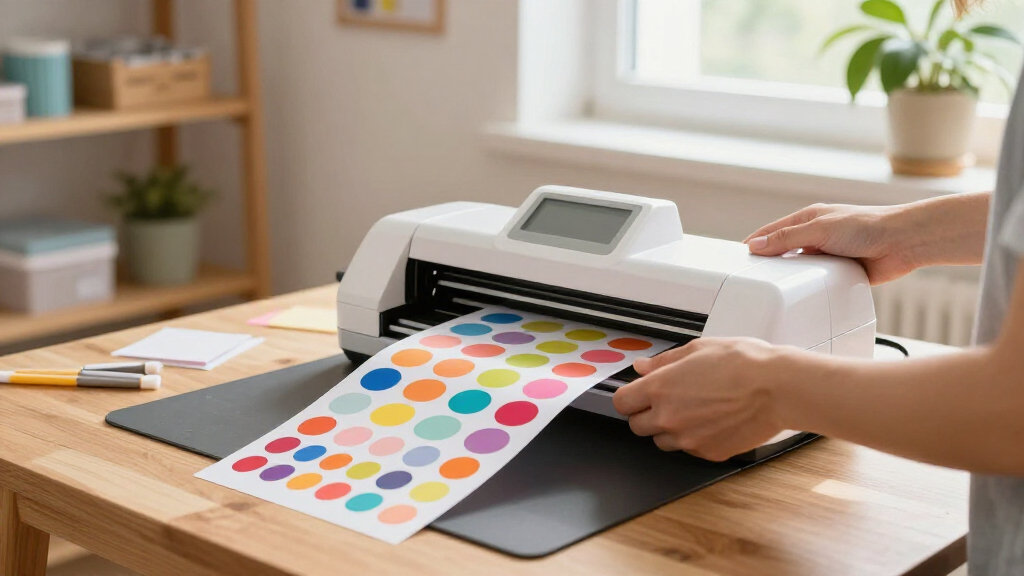
The best sticker making machines balance print quality, cutting control, and ease of use for the stickers you actually want to make. My best overall pick is the Cricut Maker 4 Sticker Making Bundle for its broader crafting range, while the Liene PixCut S1 stands out for an integrated print-and-cut workflow and the Xyron Creative Station 9-Inch for turning existing artwork into stickers without a digital cutter. The main tradeoff is between flexible machines that need setup and supplies, and simpler manual or kid-focused makers with narrower uses. Sticker size, material compatibility, and whether you need printing or just adhesive backing can change which option makes sense. Read on for the full comparison and picks by buyer type.

Get art and craft supplies delivered free with Prime
- Fast, free delivery on millions of items
- Prime Video, Amazon Music and more included
- Member-only deals all year
Key Takeaways
- The Cricut Maker 4 bundle leads for shoppers who want stickers as part of a wider crafting setup, but it asks for more learning and workflow planning than manual machines.
- The Liene PixCut S1 is the more direct choice when printing and cutting custom stickers in one system matters more than access to a general-purpose craft ecosystem.
- Xyron’s three machines serve distinct jobs: the 9-inch Creative Station suits larger work, the 5-inch Create-a-Sticker handles common small projects, and the Mini favors portability.
- The HiMont A12 and Leapom are kid-oriented voice sticker makers, while the Hello Blink adds a portable thermal-printing approach; these are not substitutes for full-color craft cutters.
- A cutter or laminator does not automatically print designs: buyers should distinguish print-and-cut machines from devices that add adhesive to artwork they already have.
| HiMont A12 AI Voice Sticker Maker for Kids, Red |  | Best for Voice-Prompted Kids’ Stickers | Printer type: Thermal | Print output: Monochrome | Connectivity: Bluetooth and 2.4 GHz Wi-Fi | VIEW LATEST PRICE | See Our Full Breakdown |
| Cricut StickerPix Print + Cut Essential Bundle, Powder Blue |  | Best for Finished Color Stickers | Printer type: Dye sublimation | Output: Color | Dimensions: 8 × 11.3 × 4.1 in (D × W × H) | VIEW LATEST PRICE | See Our Full Breakdown |
| Educational Insights 3D Sticker Maker Kit |  | Best for Mess-Free Kids’ Crafting | Brand: Educational Insights | Model: 1525 | Recommended age: 5 years and up | VIEW LATEST PRICE | See Our Full Breakdown |
| Likcut S41 Vinyl Cutter Machine and Sticker Making Bundle |  | Best for Material Variety | Brand and model: LIKCUT S41 | Active surface area: 8.5 in | Cutting accuracy: 0.2 mm tolerance | VIEW LATEST PRICE | See Our Full Breakdown |
| Xyron Creative Station 9-Inch Craft Laminator, Sticker and Magnet Maker |  | Best Manual Adhesive Applicator | Brand: Xyron | Machine type: Non-electric laminator, sticker, and magnet maker | Working widths: 5 in and 9 in | VIEW LATEST PRICE | See Our Full Breakdown |
| Liene PixCut S1 Color Sticker Printer and Cutting Machine |  | Best Overall All-in-One Sticker Printer and Cutter | Printer type: Thermal dye sublimation | Print resolution: 300 dpi | Color depth: 24 bpp | VIEW LATEST PRICE | See Our Full Breakdown |
| Leapom AI Voice Sticker Maker for Kids |  | Best for Kids and Creative Play | Printer type: Thermal | Print color: Black and white | Print resolution: 203 × 203 dpi | VIEW LATEST PRICE | See Our Full Breakdown |
| Cricut Maker 4 Sticker Making Bundle, Seashell |  | Best for Versatile DIY and Small Projects | Brand: Cricut | Model: z20-11084-N4 | Color: Seashell | VIEW LATEST PRICE | See Our Full Breakdown |
| Xyron Create-a-Sticker 5-Inch Manual Sticker Maker with Permanent Adhesive |  | Best Manual, No-Electricity Sticker Maker | Brand: Xyron | Model: XRN500EN | Operation mode: Manual | VIEW LATEST PRICE | See Our Full Breakdown |
| Hello Blink Portable Bluetooth Sticker Maker and Mini Thermal Printer for Kids |  | Best for Kids and Personal Projects | Brand: CEACO | Model: Sticker Maker | Model number: 10031 | VIEW LATEST PRICE | See Our Full Breakdown |
| Xyron Create-A-Sticker Mini, 2.5-Inch Portable Sticker and Label Maker |  | Best Compact Manual Sticker Maker | Brand: Xyron | Model: XRN250-CFTEN | Maximum media width: 2.5 inches | VIEW LATEST PRICE | See Our Full Breakdown |
| sticker making machine | Brand |
|---|---|
| HiMont A12 AI Voice Sticker Ma | — |
| Cricut StickerPix Print + Cut | — |
| Educational Insights 3D Sticke | Educational Insights |
| Likcut S41 Vinyl Cutter Machin | — |
| Xyron Creative Station 9-Inch | Xyron |
| Liene PixCut S1 Color Sticker | — |
| Leapom AI Voice Sticker Maker | — |
| Cricut Maker 4 Sticker Making | Cricut |
| Xyron Create-a-Sticker 5-Inch | Xyron |
| Hello Blink Portable Bluetooth | CEACO |
| Xyron Create-A-Sticker Mini | Xyron |
More Details on Our Top Picks
HiMont A12 AI Voice Sticker Maker for Kids, Red
The HiMont A12 is the most play-oriented printer here: kids can describe an idea and turn it into a design in one of six art styles, then print it alongside app templates, photos, or text. Its inkless thermal printing avoids ink cartridges, and the small, 230 g body is easy to carry between craft sessions. The included paper rolls and colored pens let children add color by hand, but the printer itself produces black-and-white output on media no larger than 2.24 × 0.98 inches. Compared with the Educational Insights 3D Sticker Maker Kit, this option offers digital design variety rather than shaker-style stickers and hands-on assembly. The tradeoff is reliance on an app and 2.4 GHz Wi-Fi for AI creation, making it less independent than a simple craft kit.
Pros:- Voice prompts generate designs in six selectable art styles
- Thermal printing works without ink
- Compact 230 g design includes three paper rolls and five colored pens
- App supports templates, photos, and text tools
Cons:- Prints only in black and white, so color has to be added by hand
- Small maximum media size limits sticker dimensions
- AI creation depends on the companion app and 2.4 GHz Wi-Fi
Best for: Children who enjoy inventing designs by voice and want a portable printer for small labels and craft stickers.
Not ideal for: Buyers seeking vivid full-color prints, larger stickers, or an app-free craft activity.
- Printer type:Thermal
- Print output:Monochrome
- Connectivity:Bluetooth and 2.4 GHz Wi-Fi
- Weight:230 g
- Dimensions:3.15 × 3.15 × 3.15 in
- Print speed:20 black-and-white pages per minute
- Maximum media size:2.24 × 0.98 in
- Included accessories:3 paper rolls and 5 colored pens
- Warranty:1 year
Our verdict“Choose the HiMont A12 for children who want voice-led design and tiny inkless prints, not for full-color or large-format stickers.”
Cricut StickerPix Print + Cut Essential Bundle, Powder Blue
The Cricut StickerPix Print + Cut Essential Bundle suits makers who want a polished color sticker without coordinating a separate printer, laminator, and cutter. Its dye-sublimation process prints, laminates, and cuts in one step, with water-, scratch-, and fade-resistant results suited to stickers that will see regular handling. The bundle’s paper and cartridge supplies cover 18 sticker sheets and 18 photo prints, so it is ready for an initial project run. Compared with the Likcut S41, StickerPix emphasizes an integrated print-and-finish workflow rather than a broader vinyl-cutting setup with varied materials. That convenience comes with limits: content and software features may require a paid Cricut Access subscription, and setup depends on a compatible Bluetooth device and high-speed internet. I’d skip it if offline operation or flexible material cutting matters more than a streamlined color process.
Pros:- Prints, laminates, and cuts stickers in one step
- Produces vivid color with water-, scratch-, and fade-resistant finishes
- Includes supplies for 18 sticker sheets and 18 photo prints
- Also supports photo prints, labels, cards, and invitations
Cons:- Some content and software features require a paid Cricut Access subscription
- Requires a compatible Bluetooth device and high-speed internet
- The included supplies are finite, so ongoing projects need replenishment
Best for: Home crafters who want vivid, durable color stickers with printing, laminating, and cutting handled in one workflow.
Not ideal for: Makers who need offline operation, broad vinyl-cutter flexibility, or access to all software content without a subscription.
- Printer type:Dye sublimation
- Output:Color
- Dimensions:8 × 11.3 × 4.1 in (D × W × H)
- Print media:Glossy photo paper and labels
- Bundle supplies:Ink cartridge, sticker sheets, and photo paper
- Included supply capacity:18 sticker sheets and 18 photo prints
- Connectivity requirement:Bluetooth-compatible device and high-speed internet
- Special feature:Portable
Our verdict“Pick StickerPix if you value a convenient, durable color print-and-cut workflow more than open-ended cutting or subscription-free software.”
Educational Insights 3D Sticker Maker Kit
This kit takes a different route from printer-based sticker machines: children add a design and paper confetti to a shell, then press a button to make a shaker-style 3D sticker. The included 40 shells and backers, in two sizes, give families materials for a substantial first batch without glue or tape. For children aged five and up, the straightforward process is more hands-on than the app-led HiMont A12, while avoiding the Wi-Fi and device setup that comes with digital designs. It is not a substitute for a printer, though: it does not produce photo stickers, labels, or custom full-color prints from a file. Compared with the Xyron Creative Station, it is focused on a playful children’s craft rather than applying adhesive or laminate to varied materials. Once the starter shells are used, more supplies may be needed.
Pros:- Makes up to 40 shaker-style 3D stickers
- No glue or tape is needed for assembly
- Starter kit includes two shell sizes, matching backers, holders, confetti, and instructions
- Refill supplies can be sourced from local craft stores
Cons:- Does not print digital designs, photos, or labels
- Additional supplies may be needed after the included 40 sticker sets are used
- The child-focused shaker craft may hold limited appeal for older users
Best for: Families and educators looking for a low-mess, hands-on sticker activity for children aged five and up.
Not ideal for: Adults needing printed artwork, photo stickers, or a reusable machine for varied professional craft projects.
- Brand:Educational Insights
- Model:1525
- Recommended age:5 years and up
- Sticker capacity:40
- Sticker shells:40 in two sizes
- Sticker backers:40 in two sizes
- Included components:Machine, holders, size adapter, paper confetti fillers, and instructions
- UPC:086002015259
Our verdict“Choose this kit for a simple, hands-on children’s sticker activity, rather than a printer that reproduces custom digital artwork.”
Likcut S41 Vinyl Cutter Machine and Sticker Making Bundle
The Likcut S41 is the strongest fit here for crafters who want to cut stickers from a range of supplied materials rather than use an all-in-one photo printer. Its bundle includes printable, magnetic, holographic laminate, clear laminate, and adhesive vinyl sheets, plus mats, transfer tape, and a weeding tool. The 8.5-inch cutting area and sensor-guided cutting specified at 0.2 mm tolerance support detailed projects, while wired and wireless connections offer setup flexibility. Compared with Cricut StickerPix, the S41 provides more material variety but does not describe an integrated printing, laminating, and cutting workflow. That means it may suit makers who already know how they plan to create artwork and handle printing. The product information does not identify software compatibility or supported devices, so I’d verify that before buying; the cutting width also rules out larger designs.
Pros:- Bundle includes a broad mix of sticker, vinyl, magnetic, and laminating materials
- Wired and wireless connectivity
- Sensor-guided cutting is specified at 0.2 mm tolerance
- Includes cutting mats, transfer tape, weeding tool, and carry bag
Cons:- The 8.5-inch active area limits the width of projects
- Software compatibility and supported devices are not specified in the supplied product details
- Unlike Cricut StickerPix, the listed workflow does not combine printing and cutting in one step
Best for: Experienced hobby crafters who want to cut and finish stickers across printable, vinyl, magnetic, and laminated materials.
Not ideal for: First-time buyers who need clearly documented software support, large-format cutting, or an integrated color printer.
- Brand and model:LIKCUT S41
- Active surface area:8.5 in
- Cutting accuracy:0.2 mm tolerance
- Connectivity:Wired and wireless
- Operation mode:Automatic
- Bundle materials:20 printable sticker sheets, 10 magnetic sheets, 20 holographic laminating sheets, 10 clear laminate sheets, 4 adhesive vinyl sheets, and 2 smart adhesive vinyl sheets
- Included tools:2 cutting mats, transfer tape, weeding tool, drawing pen, and carry bag
- Color:Blue
Our verdict“Pick the Likcut S41 if material choice and cutting flexibility matter more than a built-in print-and-cut workflow or clearly stated software support.”
Xyron Creative Station 9-Inch Craft Laminator, Sticker and Magnet Maker
The Xyron Creative Station is for crafters who need to turn existing artwork or paper cutouts into stickers, not print images from a device. This non-electric machine applies adhesive, laminate, or magnet backing with no warm-up, making it a practical choice for school, office, and home projects where heat or messy glue would get in the way. Its 9-inch working width handles wider pieces than the Xyron Create-a-Sticker 5-Inch, while the included permanent-adhesive cartridge lets you start without buying a refill first. The tradeoff is that it does not print or cut designs; you supply and trim the artwork yourself. The included cartridge is permanent adhesive, and other cartridge types are sold separately, so ongoing material costs and project flexibility depend on which refills you need.
Pros:- Combines sticker making, laminating, and magnet backing
- Manual operation requires no electricity or warm-up
- Applies acid-free, non-toxic adhesive without liquid glue
- 9-inch width accommodates larger pieces than the Xyron Create-a-Sticker 5-Inch
Cons:- Does not print or cut designs; artwork must be prepared separately
- Included cartridge applies permanent adhesive
- Other cartridge types are sold separately
Best for: Teachers, office teams, and paper crafters who want to add adhesive or magnet backing to pre-made pieces without using electricity.
Not ideal for: Buyers who want a machine to print or cut custom sticker artwork, or who need removable adhesive without changing cartridges.
- Brand:Xyron
- Machine type:Non-electric laminator, sticker, and magnet maker
- Working widths:5 in and 9 in
- Included cartridge:9-inch × 25-foot permanent adhesive
- Dimensions:13.75 × 6 × 7 in
- Recommended uses:Home, office, and school
- Color:White
Our verdict“Choose the Creative Station for applying adhesive, laminate, or magnet backing to prepared projects, not for digital printing or automated cutting.”
Liene PixCut S1 Color Sticker Printer and Cutting Machine
This device stands out for combining color printing and precise cutting in a single unit, making it ideal for those who want streamlined production of laminated, waterproof stickers without needing separate equipment. Unlike the Cricut Maker 4, which requires an inkjet printer and additional steps for Print Then Cut, the PixCut S1 simplifies the process with an integrated system and AI-guided cutting. The app’s design tools and templates make customization accessible, and waterproof lamination enhances durability—perfect for outdoor or high-use stickers. However, the 300 dpi resolution is lower than some high-end printers, which might limit fine detail for demanding designs. This pick makes the most sense for small business owners or hobbyists seeking a compact, all-in-one sticker solution.
Pros:- Combines printing and cutting in one device, reducing setup and workflow complexity
- AI-guided image extraction and precision cutting for professional results
- Creates laminated, waterproof, scratch-resistant stickers
Cons:- Requires an app for editing, printing, and cutting, which may complicate the workflow
- Maximum resolution of 300 dpi might limit fine detail in complex designs
Best for: Small business owners and hobbyists who want a compact, versatile machine for producing waterproof, laminated stickers with minimal fuss.
Not ideal for: Professional graphic designers or those needing high-resolution, detailed prints, as 300 dpi may not meet their precision standards.
- Printer type:Thermal dye sublimation
- Print resolution:300 dpi
- Color depth:24 bpp
- Connectivity:Bluetooth
- Compatible devices:Laptops, smartphones, tablets
- Media:Labels
Our verdict“This device is ideal for users seeking an integrated, portable solution for producing durable stickers with minimal steps.”
Leapom AI Voice Sticker Maker for Kids
This handheld thermal printer is designed for children, allowing them to turn spoken ideas, photos, or templates into black-and-white stickers using voice commands and the Fun Print app. Compared to the Cricut Maker 4, which supports complex projects with a range of materials, the Leapom is focused on simple, fun, and portable sticker creation. Its inkless printing means no mess or drying time, ideal for younger users and classroom environments. However, the monochrome output limits creative options for colorful designs, and it depends heavily on the app, which may pose usability issues for some kids. This option makes the most sense for parents and teachers wanting a safe, portable device for quick, creative sticker projects.
Pros:- Prints without ink or toner, making it mess-free and easy to use
- Voice-to-image and template printing adds fun and accessibility
- Lightweight and portable, perfect for on-the-go use
Cons:- Limited to black-and-white stickers, reducing creative flexibility
- Dependent on smartphone or tablet and the Fun Print app for operation
Best for: Parents or educators seeking an easy, inkless, and portable sticker maker for children’s crafts and classroom activities.
Not ideal for: Advanced crafters or small business owners requiring full-color, high-resolution stickers, as it only prints in black and white.
- Printer type:Thermal
- Print color:Black and white
- Print resolution:203 × 203 dpi
- Connectivity:Bluetooth
- Maximum media size:2.25 in
- Included accessories:3 thermal sticker rolls and markers
Our verdict“This device is perfect for kids and educators looking for a simple, inkless way to create monochrome stickers on the fly.”
Cricut Maker 4 Sticker Making Bundle, Seashell
The Cricut Maker 4 bundle offers a comprehensive setup for creating custom stickers, labels, and decals using Print Then Cut with an inkjet printer. Its compatibility with Cricut Design Space and various materials makes it ideal for users who want to combine digital design with physical crafting. Compared to dedicated sticker printers like the Xyron Create-a-Sticker, the Cricut requires an external inkjet printer, adding complexity and cost but offering greater control over detailed, full-color designs. The included materials and project guidance support beginners, though the need for an inkjet printer might be a barrier for some. This kit is best suited for hobbyists and small business owners who already have or plan to invest in an inkjet printer.
Pros:- Includes machine, materials, tools, and detailed project guidance
- Supports print then cut for professional-looking custom stickers
- Compatible with a variety of materials including vinyl and paper
Cons:- Requires an external inkjet printer and compatible device, increasing overall setup cost
- Unclear on the quantities of included materials, which could lead to additional purchases
Best for: DIY enthusiasts and small business owners seeking a flexible, multi-material machine to produce custom stickers and decals with detailed designs.
Not ideal for: Users without an inkjet printer or those looking for a compact, all-in-one device, as it relies on external printing and lacks integrated printing capabilities.
- Brand:Cricut
- Model:z20-11084-N4
- Color:Seashell
- Operation Mode:Automatic
- Compatible Devices:Computers, mobile devices, inkjet printers
- Warranty:1 year
Our verdict“This bundle makes the most sense for users wanting a versatile crafting system that combines digital design with physical sticker production, assuming they already own or will acquire an inkjet printer.”
Xyron Create-a-Sticker 5-Inch Manual Sticker Maker with Permanent Adhesive
This manual sticker maker offers a straightforward way to create adhesive-backed stickers from paper, photos, and fabric without any power source. Unlike electric models such as the Xyron Creative Station or the Xyron PixCut S1, it relies solely on manual pressure, making it silent, portable, and simple to operate. Its 5-inch maximum width covers most small craft projects, and the refillable cartridges allow for continuous use with permanent or repositionable adhesive. While it’s ideal for quick, basic sticker production, the manual operation means it might be less suitable for high-volume or intricate designs, and refill cartridges are sold separately, adding ongoing costs. This pick is perfect for crafters who prefer a quiet, simple, and reliable manual solution.
Pros:- No electricity, heat, or warm-up required, making it highly portable
- Simple operation with little mess and no drying time
- Refillable with various adhesive types for different projects
Cons:- Refill cartridges are sold separately, increasing ongoing costs
- Limited to 5-inch wide items, restricting larger projects
Best for: Home crafters, teachers, or small-scale hobbyists looking for an affordable, manual sticker maker for everyday projects.
Not ideal for: Commercial or high-volume users needing faster, automated production, or those creating complex or large stickers over 5 inches wide.
- Brand:Xyron
- Model:XRN500EN
- Operation mode:Manual
- Maximum item width:5 inches
- Included adhesive:5-inch x 10-foot permanent adhesive cartridge
- Warranty:1-year
Our verdict“This manual sticker maker suits casual crafters and educators seeking a dependable, no-fuss device for small stickers and labels.”
Hello Blink Portable Bluetooth Sticker Maker and Mini Thermal Printer for Kids
This compact Bluetooth thermal printer is designed specifically for children, allowing them to print colorful stickers from a phone or tablet without ink. Unlike the Cricut Maker 4 or Xyron models, which require more setup or external printers, the Hello Blink offers immediate, portable sticker creation with a simple interface. Its 300 dpi resolution ensures decent quality for fun and personalized projects, and including markers and multiple sticker rolls encourages creativity and customization. The limited capacity (up to 10 sheets) and focus on craft projects rather than detailed or high-volume production make it ideal for casual use. This device appeals strongly to parents, teachers, and kids who want a quick, inkless, and portable sticker solution.
Pros:- Prints without ink, making it clean and easy to use
- Portable with Bluetooth connectivity, perfect for on-the-go use
- Includes sticker rolls and markers for decorating and personalization
Cons:- Limited to printing in single-color black and white
- Maximum sheet capacity of 10 limits continuous or large projects
Best for: Parents, teachers, and kids wanting an easy, portable, and inkless sticker printer for school projects, scrapbooking, and fun activities.
Not ideal for: Serious crafters or small businesses needing high-resolution, multi-color stickers or larger production capacity.
- Brand:CEACO
- Model:Sticker Maker
- Model number:10031
- Printer type:Thermal
- Connectivity:Bluetooth
- Maximum media size:5 x 7 inches
- Warranty:90-day
Our verdict“This device is best suited for kids and informal users seeking a fun, portable, inkless sticker printer for casual projects.”
Xyron Create-A-Sticker Mini, 2.5-Inch Portable Sticker and Label Maker
The Xyron Create-A-Sticker Mini is a straightforward pick for adding adhesive to small, already-printed designs, photos, labels, and paper crafts. Its manual feed needs no power, heat, or liquid glue, making it easier to use at a classroom table or pack for a craft session than powered options such as the Cricut Maker 4 Sticker Making Bundle, which handles a broader digital cutting workflow. The 2.5-inch width is the defining limit: it suits small embellishments, but larger stickers need to be cut down or run through a wider machine, such as Xyron’s 5-Inch Manual Sticker Maker. The included 10 feet of permanent adhesive gets basic projects started, and the cartridge system allows refills. However, it does not print or cut designs, and ongoing projects will require additional adhesive.
Pros:- Manual operation requires no electricity, batteries, or heat
- Applies adhesive without messy liquid glue
- Compact format is easy to carry and store
- Acid-free adhesive is suitable for photos and paper crafts
Cons:- The 2.5-inch maximum width excludes larger designs
- It applies adhesive but does not print or cut stickers
- The included 10 feet of adhesive may run out during frequent crafting
Best for: Crafters, teachers, and scrapbookers who want a portable way to apply adhesive to small, pre-cut paper designs, photos, or labels without electricity.
Not ideal for: People making large stickers, printing designs directly, or cutting custom shapes; its 2.5-inch capacity and adhesive-only operation cannot replace a printer-and-cutter system.
- Brand:Xyron
- Model:XRN250-CFTEN
- Maximum media width:2.5 inches
- Included adhesive:10 feet of permanent adhesive
- Adhesive system:Refillable cartridge system
- Power source:Manual; no electricity, batteries, or heat required
- Item weight:14.2 g
- Dimensions:5.5 × 5.5 × 6.5 inches
- Warranty:1-year limited warranty
Our verdict“Choose this compact Xyron for mess-free adhesive on small, ready-made designs, but pick a wider or print-and-cut machine for larger or custom stickers.”
How We Picked
I compared each machine by the work it can actually do: whether it prints, cuts, laminates, or applies adhesive; how much control it offers over design and finished size; and how much setup, software, or consumable material the workflow is likely to involve. I also considered usability for the intended audience, portability, working width, and versatility beyond stickers. These distinctions matter because a kid-focused thermal printer, a manual adhesive applicator, and a digital craft cutter solve different problems even when all are marketed for sticker making.
The ranking favors machines that offer a useful combination of sticker-making capability, control, and room to grow. That puts the Cricut Maker 4 first for broad creative flexibility, with the Liene PixCut S1 close behind for a more focused print-and-cut workflow. Xyron’s manual machines rank by practical working width and simplicity rather than digital features, while the kid-focused options are placed for their narrower audience and output. No one machine is best for every project: the right pick depends on whether a buyer needs to create artwork, cut printed designs, add adhesive, or keep a child entertained.
| sticker making machine | Brand |
|---|---|
| HiMont A12 AI Voice Sticker Ma | — |
| Cricut StickerPix Print + Cut | — |
| Educational Insights 3D Sticke | Educational Insights |
| Likcut S41 Vinyl Cutter Machin | — |
| Xyron Creative Station 9-Inch | Xyron |
| Liene PixCut S1 Color Sticker | — |
| Leapom AI Voice Sticker Maker | — |
| Cricut Maker 4 Sticker Making | Cricut |
| Xyron Create-a-Sticker 5-Inch | Xyron |
| Hello Blink Portable Bluetooth | CEACO |
| Xyron Create-A-Sticker Mini | Xyron |
Factors to Consider When Choosing Best Sticker Making Machines
Before choosing a machine, decide which part of making a sticker you want it to handle. The biggest source of disappointment is buying a device that performs one step—such as cutting or adding adhesive—when you expected it to print finished designs too. These factors can narrow the field before you compare individual models.
Decide Whether You Need Printing, Cutting, or Adhesive
Sticker-making workflows can involve three separate jobs: producing the image, shaping its outline, and making its back sticky. Print-and-cut systems combine the first two, while machines such as Xyron’s apply adhesive to art you have already printed or drawn. A cutter alone may need a separate printer, and a thermal printer may not provide the full-color output needed for elaborate artwork. Map your current supplies and preferred process before shopping. Buying a device that handles only one stage can be a good choice, but only if you already have a plan for the others.
Match the Machine to Your Typical Sticker Size
Working width affects more than the size of a single sticker; it also determines how efficiently you can process sheets, labels, and larger designs. Compact machines are convenient for small graphics and travel, but they can become frustrating if you regularly make larger decals or batches. Wider machines take up more room and may be excessive for planner labels or small craft projects. Measure the largest design you expect to make, then leave space for margins and feeding material through the machine. A frequent mistake is choosing by maximum advertised width without checking the size of the artwork and sheets used in a real project.
Count the Steps in the Digital Workflow
A digital cutter can give you more control over shapes and materials, but that flexibility often comes with design software, file preparation, and calibration. A simpler device may be easier to start using, even if it offers fewer ways to customize the result. Think about who will prepare the artwork and how often they will make changes. If the machine is for a child, adult setup or supervision may still be part of the process, especially with cutting tools or connected apps. Prioritize a workflow the user will repeat, rather than choosing the longest feature list.
Check Material and Finish Compatibility
Sticker paper, vinyl, laminating film, and thermal media are not interchangeable, and a machine designed around one material may not suit another. A glossy protective layer can help stickers tolerate handling, but it adds a step and may affect feeding or cutting. Before buying supplies in bulk, confirm which formats and thicknesses the machine supports and whether its process requires branded or specific media. Also decide whether you need water resistance, a particular finish, or simply an adhesive-backed paper design. Matching the material to the finished sticker’s job helps prevent wasted sheets and disappointing durability.
Factor in Consumables, Maintenance, and Batch Size
The machine is only one part of the ongoing workflow: paper or vinyl, adhesive cartridges, blades, and other replacement materials can shape the experience over time. Manual systems can keep operation straightforward, while digital cutters may need blade care and occasional adjustments. If you make stickers in batches, feeding and alignment can matter more than a compact footprint; for occasional crafts, a small unit may be easier to store. Estimate how many stickers you expect to make and what supplies you already own. Paying for capacity you rarely use is less useful than choosing a machine that fits your actual pace and replenishment habits.
Choose Between a Dedicated Maker and a Multi-Use Craft Tool
A dedicated sticker printer can make the path from design to finished sheet more direct, while a general-purpose cutter can support many other crafts as well. The latter makes sense when stickers are one project among several and you are willing to learn its broader workflow. A focused or manual machine may be a better fit when you want one repeatable task without expanding into a larger craft system. Avoid paying for versatility that will sit unused, but also avoid a narrow tool if your projects are likely to grow. The best value comes from matching the machine’s range to the work you genuinely expect to do.
Frequently Asked Questions
Do I need a separate printer to make full-color stickers?
It depends on the machine. Print-and-cut options such as the Cricut bundle and Liene PixCut S1 are designed around creating printed designs and cutting them, while Xyron machines apply adhesive to artwork that is already made. Some kid-oriented devices print using thermal technology, which is a different output approach from full-color craft printing. Check the specific workflow and media requirements before buying, especially if you want colorful illustrations or photo-like results. If the device only laminates, cuts, or adds adhesive, plan for a separate way to create the image.
Can a manual sticker maker cut custom shapes?
A manual adhesive applicator generally adds adhesive rather than digitally cutting an outline. You can still make custom-shaped stickers by cutting the artwork separately with scissors or another cutting tool, but the machine itself will not provide the same automated contour cutting as a digital cutter. This distinction makes manual machines useful for quick, straightforward projects and less suited to repeated intricate shapes. If custom outlines are central to your designs, prioritize a cutter with a workflow that supports them. If you mostly want to turn existing drawings or prints into adhesive-backed pieces, manual operation may be enough.
Are kid-focused sticker makers suitable for craft business orders?
Kid-focused machines are built around accessible, playful use rather than the broader material control and production workflow many order-based projects need. Their output method may also limit color, size, or finish compared with a craft print-and-cut setup. They can still be useful for prototypes, simple labels, or activities, but buyers should verify output consistency and media compatibility before relying on one for repeat batches. For custom shapes and a wider range of craft projects, a digital cutter is generally a more adaptable direction. Match the machine to the required finish and volume, not just the appeal of its name or interface.
Is a wider machine worth choosing if I mostly make small stickers?
A wider machine can process larger designs and may make batches of small stickers more convenient, but it also takes more workspace. If your projects stay within small formats, a compact or mid-width model may be easier to store and sufficient for everyday use. Wider capacity is more valuable when you make large decals, work with bigger sheets, or want to handle multiple designs together. Consider the largest item you expect to produce and how often you will use the extra width. Do not treat the widest option as automatically better if your materials and projects are consistently small.
Should I choose a print-and-cut system or a Xyron-style adhesive maker?
Choose a print-and-cut system if you want the machine to help create designs and cut their outlines, and you are comfortable with a digital workflow. Choose a Xyron-style adhesive maker if you already have artwork and mainly need a simple way to add adhesive to it. The first path offers more design flexibility but may involve more setup and supporting supplies; the second keeps the job focused but does not replace printing or custom cutting. Think about which step currently slows you down. The right choice is the one that fills that gap without duplicating tools you already own.
Conclusion
For most shoppers seeking one machine that can support stickers alongside other crafts, I recommend the Cricut Maker 4 Sticker Making Bundle as the best overall pick. The Liene PixCut S1 is my choice for buyers who want a more focused print-and-cut setup, while the Xyron Create-a-Sticker 5-Inch is a practical value choice for straightforward adhesive-backed projects. Beginners who want a less involved process can start with a Xyron machine, choosing its size based on the work they make; for children, the HiMont A12 or Leapom better fit playful, kid-directed use. For a wider manual working area, choose the Xyron Creative Station 9-Inch; for portability, consider the Xyron Mini or Hello Blink. The premium and most versatile route is the Cricut Maker 4, but buyers who only need to add adhesive should skip a full digital craft system and select a simpler tool instead.
Fall Picks
fall essentials
As an affiliate, we earn on qualifying purchases.