Wide-gamut displays are great when you need vibrant, true-to-life colors for creative work or precise color matching, but they can make images look unnatural if not calibrated properly. If your content isn’t designed for wide gamuts, oversaturation and color shifts can occur. These screens reveal flaws in your source material and require careful setup to avoid inaccuracies. Want to discover how to get the most from these displays? Keep exploring for essential tips.
Key Takeaways
- Wide-gamut displays enhance color accuracy and vibrancy for professional work but can cause oversaturation if content isn’t designed for them.
- Proper calibration is essential to prevent color shifts, distortions, and eye strain when using wide-gamut screens.
- They improve workflows in creative fields but may reveal flaws in source material or software, making errors more visible.
- Without careful management, wide-gamut displays can produce unnatural-looking images and reduce realism.
- Evaluate ergonomic features and compatibility to ensure the display benefits your specific use case and minimizes drawbacks.

Calibrite Display 123 Monitor Calibration Colorimeter for Photo Editing and Color Accurate Viewing, Easy 1 2 3 Software Workflow, USB C Connection, and Before and After Check, Supports 2 Displays
SPECIFICATIONS: Monitor calibration colorimeter with Easy 1 2 3 software workflow, USB C connection, compact body approx. 34mm…
As an affiliate, we earn on qualifying purchases.
As an affiliate, we earn on qualifying purchases.
What Are Wide-Gamut Displays and How Do They Work?

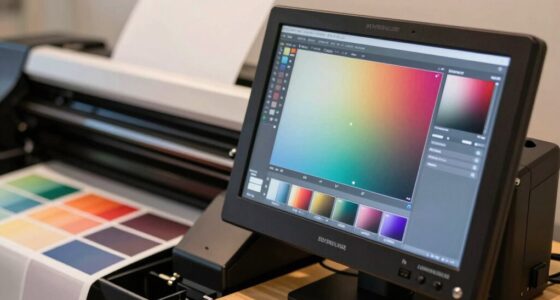
Have you ever wondered how some displays show such vibrant and accurate colors? The secret lies in advanced display technology and effective color management. Wide-gamut displays expand the color range beyond standard screens, capturing more hues and subtleties. They use specialized backlighting and panel materials to produce richer colors, making images look more lifelike. These displays rely on precise color management systems to guarantee colors are consistent and true to life across different devices. By leveraging wider color gamuts, they can display a broader spectrum of shades, enhancing visual fidelity. However, this increased color range depends on proper calibration and content compatibility. When used correctly, wide-gamut displays bring stunning visuals; when mismanaged, they can produce unrealistic or oversaturated images. Additionally, digital content can significantly influence how colors are perceived on wide-gamut displays.
Calibrite Display 123 Monitor Calibration Colorimeter for Photo Editing and Color Accurate Viewing, Easy 1 2 3 Software Workflow, USB C Connection, and Before and After Check, Supports 2 Displays
SPECIFICATIONS: Monitor calibration colorimeter with Easy 1 2 3 software workflow, USB C connection, compact body approx. 34mm…
As an affiliate, we earn on qualifying purchases.
As an affiliate, we earn on qualifying purchases.
How Do Wide-Gamut Screens Make Colors Look More Vibrant?

Wide-gamut screens make colors appear more vibrant by expanding the range of hues they can display within a broader color space. This larger color space allows for more saturated and intense colors, which your eyes perceive as more vivid and lively. When colors are mapped to a wider color space, your perception of color richness increases, making images pop with greater detail and depth. The enhanced color perception results from the display’s ability to reproduce a broader spectrum of colors, especially those outside standard gamuts like sRGB. As a result, wide-gamut screens can deliver more accurate and striking visuals, giving you a richer viewing experience. However, this also means that colors may look different or oversaturated if your content isn’t designed for such a wide color space. Additionally, achieving optimal color reproduction often involves calibration techniques to ensure the display accurately reflects the intended hues. Such calibration is crucial for maintaining utilitarian balance in how colors are perceived across different devices and contexts. Furthermore, understanding urban traffic confidence can enhance your ability to navigate diverse viewing environments and lighting conditions, ensuring that the vibrant colors are appreciated as intended.

The Complete Photo Guide to Framing and Displaying Artwork: 500 Full-Color How-to Photos
As an affiliate, we earn on qualifying purchases.
As an affiliate, we earn on qualifying purchases.
When Do Wide-Gamut Displays Improve Creative Work?

You’ll see the biggest improvements with wide-gamut displays when precise color accuracy matters, like in professional photo editing or digital design. They also expand your visual range, making it easier to work with vibrant, true-to-life hues. This flexibility lets you push creative boundaries and produce more compelling, accurate work. Additionally, using best professional hair color brands can enhance your creative projects by ensuring color consistency across various mediums. Furthermore, nature exposure can also foster emotional healing, which may enhance your creative flow and decision-making while working on these projects. Embracing practical design lessons can further elevate your understanding of how to effectively utilize these tools in your creative endeavors. Understanding door swings in spatial design can also help you create a more functional and visually appealing workspace. Moreover, leveraging risk management strategies can help you navigate creative challenges more effectively.
Color Accuracy Benefits
When working on projects that demand precise color matching, a wide-gamut display can considerably enhance your workflow. Gamut expansion lets you see a broader range of colors, improving color fidelity and ensuring your work matches intended outputs more accurately. This is especially beneficial for photographers, designers, and digital artists who require true-to-life color representation. Picture a palette with vibrant reds, lush greens, and deep blues—on a wide-gamut display, these colors appear more vivid and accurate. Additionally, having a strong support network can provide valuable feedback and insights that further refine your creative process. The impact of visual accuracy in creative work cannot be understated, as it directly influences audience perception and engagement. Moreover, understanding yarn yardage can be crucial in achieving the desired results in textile projects, paralleling the importance of color accuracy in visual arts.
| Color Range | Standard Display | Wide-Gamut Display |
|---|---|---|
| Limited reds | Fades into dullness | Bright, true reds |
| Subtle greens | Slightly muted | Rich, vibrant greens |
| Deep blues | Slightly washed out | Deep, accurate blues |
This precision elevates your creative work, making it more true to your vision. Additionally, incorporating color accuracy benefits can further enhance your overall project presentation and ensure consistency across various media.
Enhanced Visual Range
Ever wondered if your creative projects truly benefit from a broader color spectrum? Wide-gamut displays enhance your visual range by expanding the color perception possibilities, making images more vibrant and lifelike. Improved display technology allows you to see subtle shades and gradations that standard screens might miss, giving your work a richer, more immersive quality. When your goal is to evoke emotion or create stunning visuals, a wider color gamut can make a significant difference. However, it’s essential to remember that the benefits depend on your workflow and the accuracy of source content. If your files are calibrated correctly, you’ll notice a noticeable boost in visual depth. Furthermore, understanding sauna safety tips can enhance your overall creative flow and focus during long sessions. Additionally, using high-quality accessories like calibration tools can further ensure that your display performs at its best.
Moreover, utilizing innovative display technologies can significantly improve your workflow efficiency and creative output. But if your display isn’t properly managed, the broader range might introduce inconsistencies rather than improvements. Moreover, understanding the ethics of technology can further enhance your decision-making process regarding display choices.
Creative Flexibility Gains
Wide-gamut displays markedly boost your creative flexibility when working with color-sensitive projects. They allow you to access a broader range of colors, making your work more vibrant and true to your vision. This advantage is especially noticeable in tasks like photo editing, digital painting, and video production, where accurate color reproduction is critical. To maximize these benefits, proper color management is indispensable; it ensures your colors remain consistent across different devices and workflows. Additionally, hardware compatibility plays a crucial role—your software and peripherals must support wide-gamut color spaces to prevent issues like color clipping or mismatches. When both color management and hardware compatibility are properly addressed, wide-gamut displays empower you to push creative boundaries confidently, resulting in richer, more precise visual outputs. Moreover, understanding the importance of ingredients in your tools can enhance your overall creative process. Furthermore, using safety tips for your projects can help you maintain a secure and efficient workspace, ensuring that you focus on creativity without distraction.
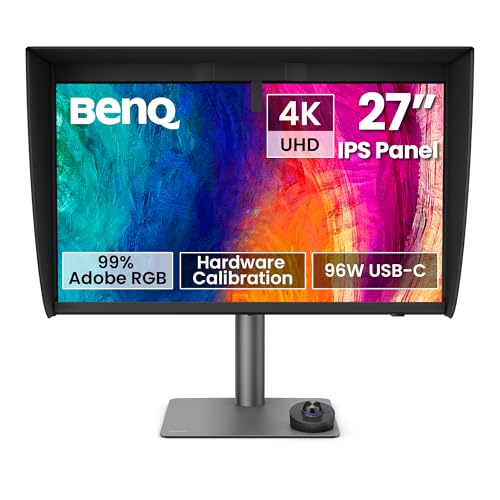
BenQ PD2770U 27” 4K Color Management Monitor, Hardware Calibration, 99% Abobe RGB/DCI-P3, 100% Rec.709, 96W USB-C, Daisy Chain, KVM, Height Adjustable, for Graphic & Video Editing Studio
ACCURATE & RELIABLE COLOR MANAGEMENT: 99% Adobe RGB, 99% DCI-P3, and 100% Rec.709 coverage with Delta E ≤…
As an affiliate, we earn on qualifying purchases.
As an affiliate, we earn on qualifying purchases.
What Are the Common Drawbacks of Wide-Gamut Displays?
Despite their impressive color range, wide-gamut displays often come with notable drawbacks. One major issue is the complexity of color management. To guarantee colors display accurately across different devices, you need careful calibration and consistent workflows. Without proper management, colors can appear oversaturated or inconsistent, leading to a distorted viewing experience. Additionally, the expanded color gamut can reveal flaws in source material or software, making errors more visible. This can be frustrating if your content isn’t designed for such a broad spectrum. Moreover, wide-gamut screens may struggle with standard color profiles, causing mismatches that require extra adjustments. Overall, while they offer vibrant visuals, these displays demand more attention to color management to prevent inaccuracies and guarantee the intended color fidelity.
How Do Oversaturation and Color Inconsistencies Impact Your Experience?
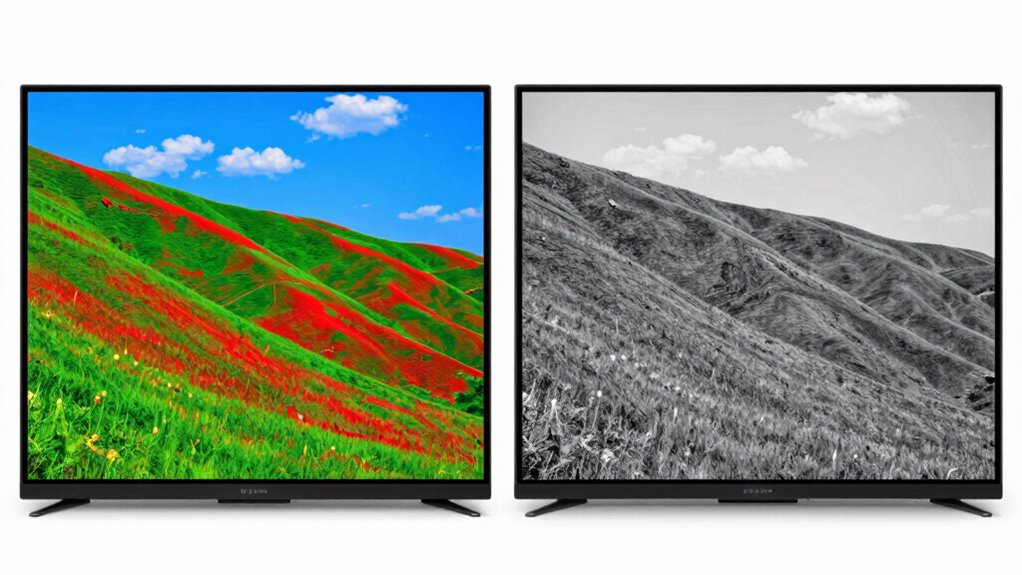
Oversaturation and color inconsistencies can profoundly diminish your viewing experience by making images look unnatural or distracting. When colors appear overly intense, it’s a sign of saturation issues that distort the original image, pulling your focus away from the content. Color shift, where colors subtly change across different parts of the screen, further disrupts realism and can cause eye strain. These problems can make photos, videos, or graphics seem exaggerated or off-balance, reducing immersion and accuracy. Instead of enhancing visuals, oversaturation and inconsistencies draw attention to the display’s flaws, making everything look less authentic. If you notice colors that seem unnaturally vibrant or inconsistent across the screen, it’s a clear sign that your wide-gamut display might need calibration or adjustment to improve your overall experience.
How to Calibrate and Optimize a Wide-Gamut Display for Accurate Colors
To get the most accurate colors from your wide-gamut display, start by choosing reliable calibration tools that suit your needs. Then, adjust the color settings carefully to match your preferred standards, and finally, verify the display’s accuracy with test images or calibration software. This process guarantees your screen delivers precise and consistent colors for any project. Additionally, understanding effective color management is crucial to ensure that your calibrated display performs optimally across various applications.
Selecting Calibration Tools
Choosing the right calibration tools is vital to guarantee your wide-gamut display produces accurate and consistent colors. For effective display calibration, you’ll need a quality colorimeter or spectrophotometer that supports wide-gamut color spaces like Adobe RGB or DCI-P3. These tools measure the display’s output and help create precise ICC profiles, essential for color management. Look for calibration devices compatible with your operating system and display type, and ensure they offer software capable of handling wide-gamut calibration. Investing in reliable hardware ensures you’re obtaining accurate readings and achieving maximum color accuracy. Avoid cheap or outdated calibration tools, as they can produce unreliable results, leading to color shifts or inaccuracies. Proper selection of calibration tools is the foundation of effective display calibration and consistent color fidelity.
Adjusting Color Settings
Once you’ve selected the right calibration tools, the next step is to adjust your display’s color settings to achieve peak accuracy. Start by choosing an appropriate color space that matches your workflow, such as Adobe RGB or DCI-P3, to guarantee colors are represented correctly. Use calibration techniques like adjusting RGB gain and gamma settings, focusing on aligning the display’s output with a known standard. Fine-tune the contrast and brightness to prevent clipping and preserve detail in highlights and shadows. Always remember, wide-gamut displays can oversaturate colors if not properly calibrated, so aim for a neutral, balanced setup. Regularly revisit these settings to maintain color accuracy, especially after software updates or hardware changes. Proper adjustment ensures your wide-gamut display delivers true-to-life colors for professional and creative work. Additionally, consider utilizing educational resources to further enhance your understanding of color calibration techniques.
Verifying Display Accuracy
Verifying the accuracy of your wide-gamut display is a crucial step to guarantee your colors are true to life. Proper display calibration ensures that your color matching efforts are consistent and reliable. Begin by using a reputable calibration tool or hardware device designed for wide-gamut screens. Follow the calibration process carefully, adjusting brightness, contrast, and color settings according to the device’s instructions. After calibration, check your display’s accuracy with test patterns or color calibration software. This step confirms that colors are reproduced accurately and helps identify any shifts or inaccuracies. Regularly verifying your display’s accuracy keeps your colors consistent over time, preventing color mismatches and ensuring that your work remains precise and true to the source.
Is Investing in a Wide-Gamut Display Worth It? Key Factors to Consider
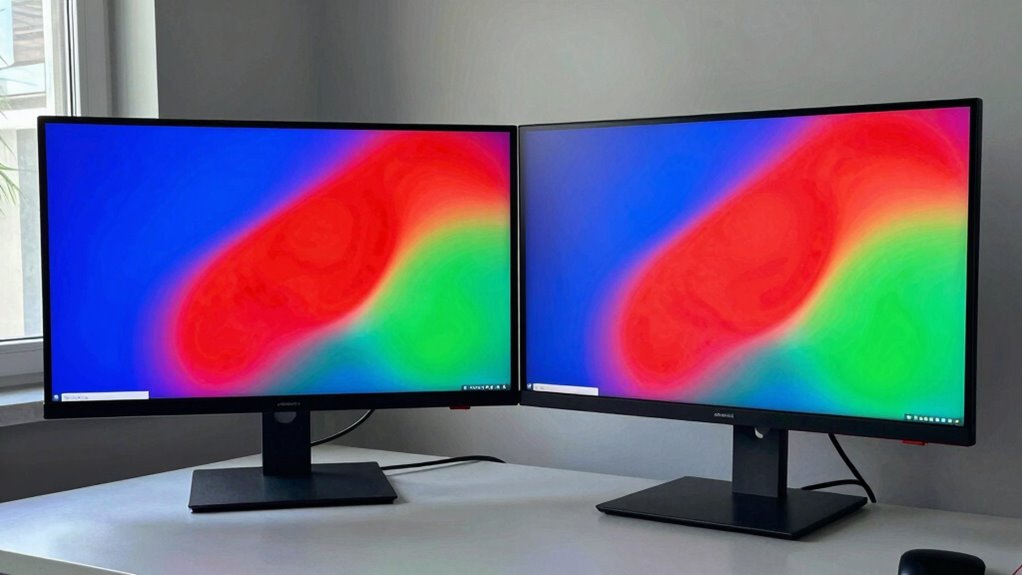
Have you ever wondered if investing in a wide-gamut display is really worth the extra cost? Consider how display ergonomics impacts your comfort during long editing sessions, as a high-quality monitor can reduce eye strain and improve workflow. Additionally, understanding home essentials can help you create a more comfortable and efficient workspace. Think about multimedia compatibility: if you often work with HDR content or need accurate color reproduction, a wide-gamut display can be a game-changer. However, if your tasks don’t demand precise color accuracy, the benefits may not justify the price. Additionally, investing in a display that supports electric power generation can enhance your workspace sustainability. Also, verify your hardware and software support these displays effectively. Weighing these factors helps determine if the investment aligns with your needs. Ultimately, a wide-gamut display offers significant advantages, but only if it enhances your specific workflows and viewing habits. Additionally, understanding credit card terms can be essential for managing any financial implications of such a purchase.
Frequently Asked Questions
Are Wide-Gamut Displays Compatible With All Software Applications?
Wide-gamut displays aren’t compatible with all software applications, especially if they lack proper color calibration or support for wider color spaces. You might encounter issues with color accuracy or inconsistencies across different programs. To guarantee the best experience, check the software’s compatibility and calibrate your display correctly. Keep in mind, some older or simpler applications may not support wide-gamut features, so results can vary.
How Do Wide-Gamut Displays Affect Battery Life on Portable Devices?
Wide-gamut displays can increase battery consumption on portable devices because they require more power to produce a broader range of colors. When you use these screens, your device works harder during color calibration and rendering, which boosts power consumption. If battery life matters most to you, be aware that the enhanced color accuracy and richness might come at the expense of shorter usage times.
Can Standard Content Be Accurately Displayed on Wide-Gamut Screens?
Think of your wide-gamut display as an artist’s palette. Standard content is like a sketch meant for a limited set of colors; it can be accurately displayed if properly color calibrated. However, without calibration, colors may appear oversaturated or off, impacting content compatibility. You’ll get the best results when your device is correctly color calibrated, ensuring standard content displays accurately and maintains its intended appearance.
What Are the Best Practices for Maintaining Color Accuracy Over Time?
To maintain color accuracy over time, you should regularly perform color calibration using a high-quality calibration device. This guarantees your display’s colors stay true and consistent. Also, implement proper color management by using consistent color profiles across your workflow. Avoid neglecting calibration, as environments and display aging can cause color shifts. Regular calibration and diligent color management are essential for precise, reliable color reproduction on wide-gamut displays.
Do Wide-Gamut Displays Require Special Graphics Cards or Hardware?
Think of your wide-gamut display as a skilled painter’s palette. It doesn’t need special hardware, but to unlock its full potential, your graphics card should support high color depths and HDR features. You’ll face calibration challenges, like tuning a delicate instrument, to guarantee accurate colors. So, check your hardware requirements to match your display’s capabilities, and be prepared for some fine-tuning to get the best results.
Conclusion
Ultimately, understanding when wide-gamut displays work wonders and when they worsen your workflow is essential. By balancing brightness, calibration, and your specific needs, you can harness their vibrant potential without falling into flaws. Don’t forget: careful calibration and conscious choices can turn a dazzling display into a dependable tool. Explore the details, and decide if a wide-gamut display will truly serve your creative pursuits or simply complicate your color.