TL;DR

Get art and craft supplies delivered free — and shop member deals
- Fast, free delivery on millions of items
- Access to Prime Big Deal Days deals on October 6–7
- Prime Video, Amazon Music and more included
Photographer Shan Hannadige reports building software to convert and clean up scans from his 35mm film rolls after an attempt to automate scanner operation through Claude caused mechanical problems. He says the new workflow processes scans made in VueScan, with a conversion test passing on 28 of 29 frames; its broader performance and time savings are not reported.
Photographer Shan Hannadige says he has built software to convert and clean up his 35mm film scans after an attempt to have Claude operate his scanner through the SANE driver stack caused the scanner carriage to move in the wrong direction. The workflow leaves scanning to VueScan and automates work on the resulting images, addressing a process Hannadige says took about four hours per 36-frame roll.
Hannadige describes first trying to automate the entire process, including scanner operation, colour conversion and edits. During the initial tests, the scanner produced blank scans and made clicking sounds. In a chat transcript dated September 20, 2026, Claude attributed the problem to the SANE Genesys backend sending the carriage back after each scan, even though the carriage had travelled in the reverse direction. Hannadige wrote that the scanner was in a bad state and said he had heard clicking.
He reports running seven scans before identifying the problem. The author says he had to perform an emergency repair to return a rod and gear to place, avoiding the expense of buying another scanner, which he estimated at $200. He then decided to keep operating VueScan himself and automate the work that follows scanning.
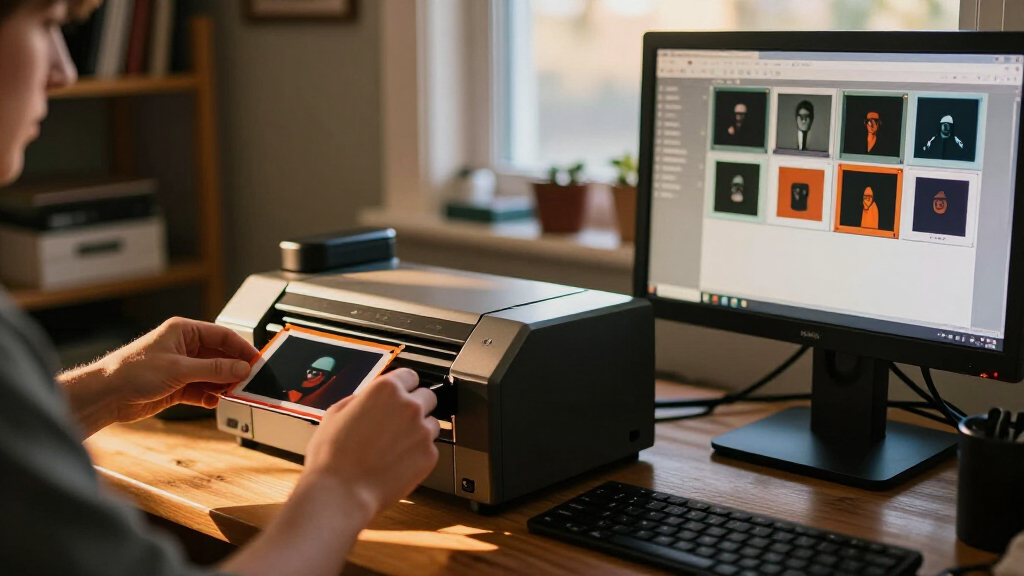
The processing workflow uses a NumPy routine to invert negatives, estimate colour across a roll and adjust individual frames within limits. Hannadige says a blank leading slot can serve as a colour reference. In a test on an older roll, the conversion passed on 28 of 29 frames. The test was an early check of the conversion, not a reported evaluation across a large collection of rolls. For dust cleanup, image analysis identifies spots on negatives and an inpainting model called LaMa fills selected areas, with detail copied back from nearby parts of the film.
Less Manual Work After Scanning
The report shows how automation can be applied to a personal film workflow without handing control of delicate hardware to software. Hannadige says handling and processing each frame had become laborious as his number of rolls grew, leaving him spending more time processing photographs than taking them. Automating conversion and cleanup targets some of that work while keeping the physical scanning step under his control.
The results also point to limits. Colour conversion involves choices as well as code: Hannadige says the automated exports looked brighter and more neutral than his previous edits, which leaned teal and dark. He described that difference as partly a matter of taste. Dust detection also needed adjustment after the first version mistook roughly 2,000 water glints in a beach frame for dust, according to his account. The example illustrates why image context matters when automated tools alter photographs.
As an affiliate, we earn on qualifying purchases.
From Four Hours to a New Workflow
Hannadige says his previous workflow included sending film to a lab, cutting developed negatives into strips, placing them in a holder, scanning each frame, inverting files in darktable, editing them and deciding where to store or share the exports. He estimates that scanning and editing a 36-frame roll took about four hours. He does not give a separate time estimate for the automated workflow.
The project began with a plan to remove Hannadige from the process entirely by using Claude to drive the scanner with SANE. After the scanner-direction problem, he returned to VueScan, which he had already licensed and says was compatible with his scanner. With no robot arm to load film and operate the scanner, he focused development on the digital processing stage instead.
His account describes a test-driven build: he tried the conversion on image data, then used an older roll as a go-or-no-go check before expanding the workflow. In the September 21 chat transcript, after Claude reported the 28-of-29 conversion result, Hannadige asked it to proceed with a dust-detection test. The report does not give a final score for that cleanup test.
As an affiliate, we earn on qualifying purchases.
How Well It Works Across Rolls
The report does not say whether the scanner sustained lasting damage, beyond Hannadige’s description of repairing its rod and gear. It also does not report the total time required by the new workflow, results from a larger set of rolls, or how many frames required manual correction after conversion.
The dust detector’s final accuracy is not provided. Hannadige describes an initial false-positive problem with water glints and a change to limit detection to areas with smoother surroundings, but gives no follow-up count. The material does not say how the LaMa edits were reviewed or how often film detail was changed by inpainting.
As an affiliate, we earn on qualifying purchases.
Further Tests of Conversion and Cleanup
Hannadige’s account moves from a successful conversion test to a requested dust-detection test, but does not include its final results. The next evidence readers would need is how the combined workflow performs on more rolls, whether it reduces the reported four-hour workload, and how much human review each set of scans still needs. No release date, public availability or broader rollout is specified in the report.
As an affiliate, we earn on qualifying purchases.
Key Questions
What part of the film scanning process did Hannadige automate?
He automated digital processing after scanning: negative inversion, roll-level colour adjustment and dust cleanup. He says he continued to use VueScan to operate the scanner himself.
What went wrong when Claude controlled the scanner?
Hannadige reports that the scanner carriage moved in the wrong direction and clicked against its end stop. A chat transcript attributes this to the Genesys backend sending a blind reverse move after scans. He says he ran seven scans and then repaired a rod and gear.
How did the conversion test perform?
Claude reported that the conversion passed on 28 of 29 frames from an older roll. That is a single test result; the report gives no broader accuracy figure.
How does the workflow detect and remove dust?
Image analysis marks suspected dust on the negative, and the LaMa inpainting model fills selected spots using nearby image detail. Hannadige says an early detector mistook about 2,000 water glints in one beach frame for dust and was adjusted to account for smoother surroundings.
Source: hn
Halloween Picks
halloween
As an affiliate, we earn on qualifying purchases.