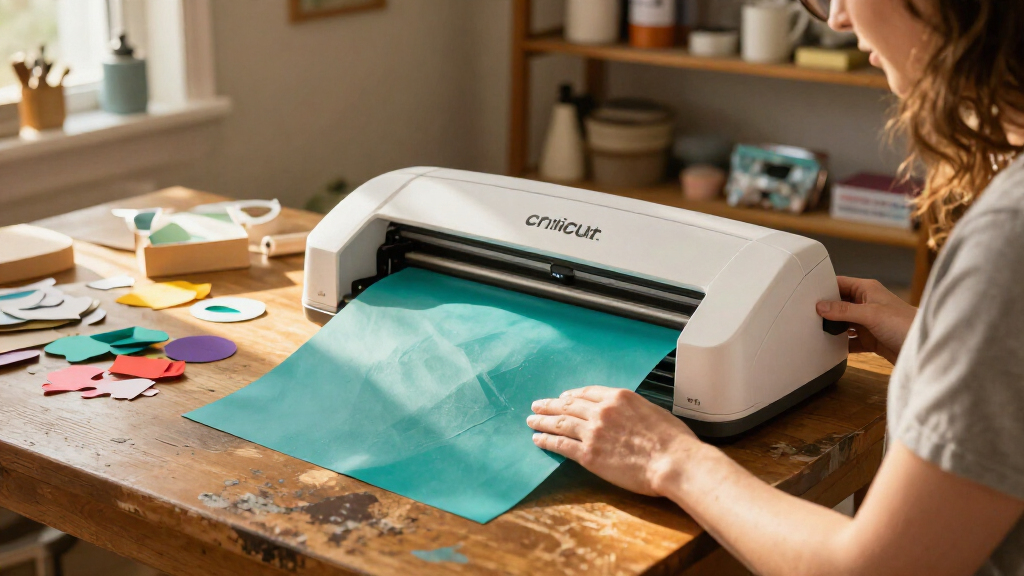

The best Cricut machine for most crafters is the Cricut Maker 4 Smart Cutting Machine Bundle, Seashell: it pairs a versatile machine with supplies for getting started. The Explore 5 Essential Bundle is a strong choice for everyday vinyl, iron-on, and paper projects, while the Joy Xtra bundles suit smaller crafts and labels. The main tradeoff is between broader material and tool flexibility, a simpler compact setup, and the extra value or clutter that can come with a bundle. Included materials, digital content, and heat presses also vary, so the machine name alone does not tell the whole story. Read on for the full comparison and help matching a Cricut setup to your projects.

Get art and craft supplies delivered free with Prime
- Fast, free delivery on millions of items
- Prime Video, Amazon Music and more included
- Member-only deals all year
Key Takeaways
- Maker bundles lead on range: The Maker 4 and Maker 5 entries are the strongest fit for shoppers who want a machine setup suited to varied craft projects, while the Explore 5 bundles focus on common cutting tasks.
- Explore 5 bundles make the everyday case: Several options pair the Explore 5 with samplers or digital content, so compare what is included rather than treating similar machine names as different capabilities.
- Joy models prioritize a smaller project footprint: Joy and Joy Xtra bundles are geared toward labels, decals, and compact crafts; they are less suitable for buyers seeking a broad, all-purpose setup.
- Bundle contents change the value: Some packages add vinyl, iron-on, card-making supplies, or an EasyPress, which can reduce separate purchases but may include materials a buyer will not use.
- Used and new listings are not equivalent: The Maker 4 marked Used deserves extra scrutiny around condition and included components, while new bundles offer a clearer starting point for shoppers who want a complete setup.
| Cricut Joy Xtra Cutting Machine and EasyPress Mini T-Shirt Making Bundle | 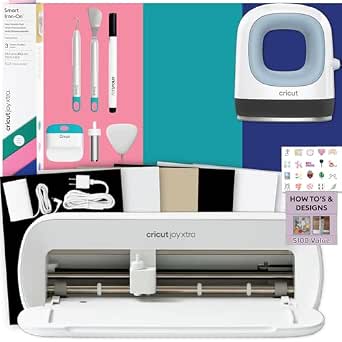 | Best for Small Apparel Projects | Brand: Cricut | Included components: Cricut Joy Xtra, Mini EasyPress, Smart Iron-On materials, tools, and design guides | Operation mode: Automatic | VIEW LATEST PRICE | See Our Full Breakdown |
| Cricut Maker 4 Smart Cutting Machine – Seashell (Used) |  | Best Used Advanced-Cutting Option | Model: 2011084 | Color: Seashell | Condition: Used / Scratch and Dent | VIEW LATEST PRICE | See Our Full Breakdown |
| Cricut Explore 5 Essential Bundle + Rainbow Sampler |  | Best Beginner Starter Bundle | Machine: Cricut Explore 5 smart cutting machine | Materials supported: 100+ | Smart Materials cutting: Matless cuts up to 12 feet | VIEW LATEST PRICE | See Our Full Breakdown |
| Cricut Explore 5 Essential Bundle with Multicolor Sampler |  | Best for Guided, Mixed-Material Crafting | Machine: Cricut Explore 5 smart cutting machine | Materials supported: 100+ | Smart Materials cutting: Matless cuts up to 12 feet | VIEW LATEST PRICE | See Our Full Breakdown |
| Cricut Maker® 5 Essential Bundle + Digital Content, Slate Blue |  | Best Premium Range | Materials supported: 300+ | Maximum material thickness: Up to 3 mm | Compatible tools: 13 | VIEW LATEST PRICE | See Our Full Breakdown |
| Cricut Maker 4 Cutting Machine Beginner Bundle with Vinyl and Iron-On |  | Best Maker 4 Starter Bundle | Brand: Cricut | Model: z20-11084-N9 | Operation mode: Automatic | VIEW LATEST PRICE | See Our Full Breakdown |
| Cricut Explore 5 Essential Bundle with Digital Content, Taupe | 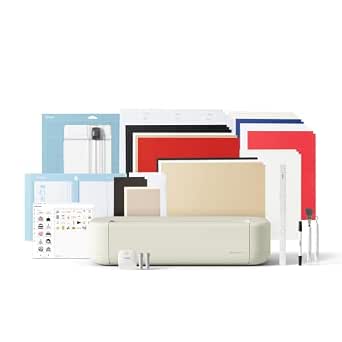 | Best for Beginners | Cutting width: 12 in (30.5 cm) | Compatible materials: 100+ materials, including vinyl, iron-on, cardstock, and printable materials | Functions: Cut, write, draw, foil, and score | VIEW LATEST PRICE | See Our Full Breakdown |
| Cricut Maker 4 Smart Cutting Machine Bundle, Seashell |  | Best for Specialty Materials | Brand: Cricut | Model: 8002707 | Color: Seashell | VIEW LATEST PRICE | See Our Full Breakdown |
| Cricut Joy Xtra Smart Cutting Machine with Digital Content Bundle | 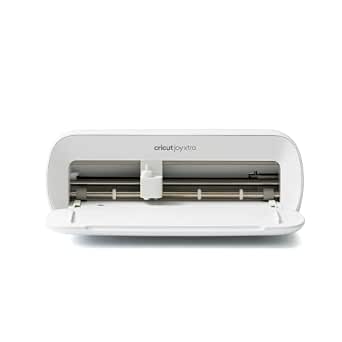 | Best Compact Machine | Brand: Cricut | Model: 8002490 | Compatible materials: 50+ materials, including vinyl, iron-on HTV, cardstock, and stickers | VIEW LATEST PRICE | See Our Full Breakdown |
| Cricut Joy 2 Cutting Machine Ultimate Bundle, Coral |  | Best Compact Project Bundle | Cutting width: 4.5 in (11.4 cm) | Weight: Just over 2 lb (0.91 kg) | Material compatibility: 75+ materials | VIEW LATEST PRICE | See Our Full Breakdown |
| Cricut Maker 4 Ultimate Card Making Bundle |  | Best for Card-Making Variety | Brand: Cricut | Model: z20-11084-N8 | Operation mode: Automatic | VIEW LATEST PRICE | See Our Full Breakdown |
| Cricut Explore 5 Smart Cutting Machine Essential Bundle, Taupe |  | Best for Beginners Who Want Room to Grow | Brand: Cricut | Model: 2012404 | Color: Taupe | VIEW LATEST PRICE | See Our Full Breakdown |
| Cricut Maker 5 Cutting Machine Bundle with Vinyl and Iron-On |  | Best for Material Range | Brand: Cricut | Model: z20-12944-D9 | Materials supported: 300+ | VIEW LATEST PRICE | See Our Full Breakdown |
| Cricut Maker 5 Cutting Machine and EasyPress 9×9 Heat Press Bundle |  | Best All-in-One Pick for Apparel | Model: z20-12944-D10 | Included components: Cricut Maker 5 machine, EasyPress 9×9 heat press, tools, vinyl and iron-on samplers | Cutting machine dimensions: 7 x 22 x 6 in (D x W x H) | VIEW LATEST PRICE | See Our Full Breakdown |
| Cricut Joy Xtra Cutting Machine and Smart Vinyl Bundle for Labels, Decals & Custom Projects – Includes Rainbow Permanent Vinyl, Transfer Tape, Tools & Design Guides |  | Best Compact Pick for Vinyl Projects | Operation mode: Automatic | Print media: Labels | Dimensions: 5.5 x 12.5 x 5.5 in (D x W x H) | VIEW LATEST PRICE | See Our Full Breakdown |
| Cricut machine | Active surface area | Color | Model |
|---|---|---|---|
| Cricut Joy Xtra Cutting Machin | 92 sq. inches | Xtra Combo with EasyPress Mini | — |
| Cricut Maker 4 Smart Cutting M | 270.25 square inches | Seashell | 2011084 |
| Cricut Explore 5 Essential Bun | 232.15 square inches | — | — |
| Cricut Explore 5 Essential Bun | — | — | — |
| Cricut Maker® 5 Essential Bund | — | Slate Blue | — |
| Cricut Maker 4 Cutting Machine | 144 sq in | — | z20-11084-N9 |
| Cricut Explore 5 Essential Bun | — | Taupe | — |
| Cricut Maker 4 Smart Cutting M | — | Seashell | 8002707 |
| Cricut Joy Xtra Smart Cutting | 95.94 sq in | — | 8002490 |
| Cricut Joy 2 Cutting Machine U | — | Coral | — |
| Cricut Maker 4 Ultimate Card M | 144 (unit not specified) | — | z20-11084-N8 |
| Cricut Explore 5 Smart Cutting | — | Taupe | 2012404 |
| Cricut Maker 5 Cutting Machine | — | — | z20-12944-D9 |
| Cricut Maker 5 Cutting Machine | 12 x 24 in | — | z20-12944-D10 |
| Cricut Joy Xtra Cutting Machin | 68.75 sq in | Joy Xtra with Rainbow Vinyl | — |
More Details on Our Top Picks
Cricut Joy Xtra Cutting Machine and EasyPress Mini T-Shirt Making Bundle
This bundle pairs a compact cutter with a Mini EasyPress, making it a focused choice for adding small iron-on designs to shirts, totes, and other fabric projects. The press is suited to details, curved areas, and spots that can be awkward to reach with a larger heat press, while the Joy Xtra handles the cutting. Compared with the Cricut Explore 5 Essential Bundle, it offers a more direct route to small apparel projects but less breadth for larger, varied cutting work. The tradeoff is scale: the Mini EasyPress can be limiting on broad designs, and the listed active surface area is 92 square inches. I’d choose this bundle for occasional personalized garments, not as the main setup for producing large apparel graphics or handling a wide mix of materials.
Pros:- Combines the Joy Xtra cutting machine and Mini EasyPress in one bundle.
- Mini press is designed for small designs, curved surfaces, and hard-to-reach areas.
- Includes Smart Iron-On materials, tools, and design guides.
- Smart Iron-On is described as easy to cut, weed, and apply.
Cons:- The compact press may be inconvenient for larger designs.
- The listed active surface area is 92 square inches, limiting the scale of suitable projects.
- Its apparel-focused setup is less versatile than the Explore 5 for broader cutting projects.
Best for: Crafters making small iron-on designs for shirts, totes, and fabric gifts who want a cutting machine and compact heat press together.
Not ideal for: Makers producing large garment graphics or broad batches of apparel, since the Mini EasyPress is small and the bundle is oriented toward compact projects.
- Brand:Cricut
- Included components:Cricut Joy Xtra, Mini EasyPress, Smart Iron-On materials, tools, and design guides
- Operation mode:Automatic
- Active surface area:92 sq. inches
- Material types:Ceramic, iron, vinyl
- Color:Xtra Combo with EasyPress Mini
- Warranty:1 year against manufacturer defects
Our verdict“Choose this bundle if small custom apparel projects are your priority and you want a compact press included.”
Cricut Maker 4 Smart Cutting Machine – Seashell (Used)
The Maker 4’s broad material and tool compatibility gives this used unit the strongest cutting range among these five picks: it supports more than 300 materials, 13 compatible tools, and Smart Materials for cuts up to 12 feet. That makes it more adaptable than the Cricut Explore 5 Essential Bundle, which is aimed at common materials and starter projects. Its listed speed advantage over the previous model may also suit makers who regularly run larger jobs. The central compromise is the unit’s condition, not its feature set: this is a scratch-and-dent machine with no warranty, and it may arrive with cosmetic defects or damaged packaging. It also requires a connected phone, tablet, or computer. I’d rank it for experienced buyers comfortable with used equipment, rather than beginners who want a fresh, supported bundle.
Pros:- Supports more than 300 materials and 13 compatible tools.
- Smart Materials allow continuous cuts up to 12 feet.
- Described as cutting up to twice as fast as its predecessor.
- Works with Cricut Design Space on a smartphone, tablet, or computer.
Cons:- Used scratch-and-dent condition may include cosmetic defects or damaged packaging.
- No manufacturer warranty is included.
- A connected device is required to operate it.
Best for: Experienced crafters who want Maker-level material and tool flexibility and are comfortable buying a used, unwarrantied machine.
Not ideal for: First-time Cricut buyers or anyone who needs manufacturer warranty coverage, pristine condition, or included starter supplies.
- Model:2011084
- Color:Seashell
- Condition:Used / Scratch and Dent
- Materials supported:300+
- Compatible tools:13
- Smart Materials cut length:Up to 12 feet
- Active surface area:270.25 square inches
- Compatible devices:Smartphone, tablet, or computer
- Warranty:None
Our verdict“Pick this used Maker 4 for advanced material range only if you accept cosmetic uncertainty and no warranty.”
Cricut Explore 5 Essential Bundle + Rainbow Sampler
The Rainbow Sampler bundle is the easiest starting point here for someone who wants a cutter plus a broad mix of materials for cards, decals, labels, and apparel. It supports more than 100 materials and Smart Materials for matless cuts up to 12 feet, while the included vinyl, iron-on, cardstock, and printable vinyl help reduce the need to source supplies before making a first project. Compared with the used Cricut Maker 4, it gives up access to the Maker’s larger material and tool range, but arrives as a beginner-oriented kit rather than a used machine without warranty. Its Design Space guidance and compact form also suit home craft spaces. The tradeoff is that the bundle’s exact tool and material quantities are not fully clear, and specialty projects may call for extra supplies.
Pros:- Cuts more than 100 materials, including vinyl, cardstock, felt, and printable materials.
- Smart Materials support matless cuts up to 12 feet.
- Bundle includes Smart Vinyl, Smart Iron-On, printable vinyl, cardstock, and insert card sets.
- Bluetooth and Design Space project guidance support a beginner-friendly setup.
Cons:- The bundle description does not specify every included tool or material quantity.
- Some projects may require additional materials or accessories.
- Its material range is narrower than the Maker 4’s support for more than 300 materials.
Best for: New Cricut owners, teachers, and hobby crafters who want a compact machine with starter materials for cards, labels, decals, and simple apparel.
Not ideal for: Makers who need Maker-level access to thick or specialty materials, or buyers who want a clearly itemized inventory of every tool and supply.
- Machine:Cricut Explore 5 smart cutting machine
- Materials supported:100+
- Smart Materials cutting:Matless cuts up to 12 feet
- Connectivity:Bluetooth
- Included materials:Smart Vinyl, Smart Iron-On, printable vinyl, value cardstock, and insert card sets
- Machine size:30% more compact than previous models
- Active surface area:232.15 square inches
- Dimensions:10.25 in D x 22.6 in W x 8.3 in H
Our verdict“Choose this Explore 5 bundle for an approachable start with varied supplies, rather than for advanced specialty-material work.”
Cricut Explore 5 Essential Bundle with Multicolor Sampler
This Explore 5 bundle balances everyday cutting range with guided project support, making it a practical fit for crafters who want to move among paper, vinyl, iron-on, and felt without stepping up to a Maker. Like the Rainbow Sampler version, it cuts more than 100 materials and supports matless Smart Materials cuts up to 12 feet. Its listed Design Space library—3,000+ images, 100+ fonts, and 1,000+ projects—gives beginners plenty of starting points. Compared with the Explore 5 Essential Bundle + Rainbow Sampler, the core machine capabilities are similar; this version’s distinguishing appeal is its multicolor sampler and stated content mix, not a different cutting tier. It remains less capable than the Maker 4 for specialty materials, and some projects will need supplies beyond the bundle.
Pros:- Supports more than 100 materials, including vinyl, cardstock, paper, and felt.
- Matless Smart Materials cuts can extend up to 12 feet.
- Bluetooth connectivity and Design Space guidance aid setup and project planning.
- Bundle includes vinyl, iron-on, printable vinyl, cardstock, insert cards, tools, and project inspiration.
Cons:- The listed material and tool details do not give quantities for every included item.
- Some projects may require additional supplies.
- It lacks the Maker 4’s broader support for more than 300 materials and 13 tools.
Best for: New and growing makers who want guided ideas and supplies for switching among cards, labels, decals, and basic apparel projects.
Not ideal for: Experienced crafters who regularly cut thick or specialty materials, or buyers seeking a bundle with every tool and quantity explicitly listed.
- Machine:Cricut Explore 5 smart cutting machine
- Materials supported:100+
- Smart Materials cutting:Matless cuts up to 12 feet
- Connectivity:Bluetooth
- Included materials:Smart Vinyl, Smart Iron-On, printable vinyl, value cardstock, and insert card sets
- Design Space images:3,000+
- Design Space fonts:100+
- Machine size:30% more compact than previous models
Our verdict“Pick this Explore 5 bundle for guided, varied everyday crafts, but choose a Maker if specialty-material capability matters more.”
Cricut Maker® 5 Essential Bundle + Digital Content, Slate Blue
The Maker 5 is the strongest fit here for ambitious, material-diverse projects: it works with 300+ materials, including materials up to 3 mm thick, and supports 13 tools for cutting, engraving, scoring, debossing, and other techniques. That range puts it above both Explore 5 bundles, which focus on common craft materials, and makes it better suited to makers who want room to expand beyond vinyl and paper. The bundle adds tools and materials intended for up to 65 projects, plus digital content. The tradeoff is that specialty tools are sold separately where applicable, and access to the full content library and some software features requires a paid Cricut Access subscription. It also needs a compatible Bluetooth device and high-speed internet. I’d favor it for regular, varied crafting, not occasional basic labels and cards.
Pros:- Works with 300+ materials, including materials up to 3 mm thick.
- Compatible with 13 tools for techniques such as engraving, writing, foiling, scoring, and debossing.
- Bundle includes selected tools, materials, and supplies for up to 65 projects.
- The machine is described as 30% more compact than previous models while retaining 12-inch cutting performance.
Cons:- Some specialty tools and compatible materials are sold separately.
- Full content-library access and certain software features require a paid Cricut Access subscription.
- Requires a compatible Bluetooth device and high-speed internet connection.
Best for: Frequent makers, small creative businesses, and fabric or mixed-media crafters who want broad material support and room to use specialty techniques.
Not ideal for: Occasional crafters focused on simple paper and vinyl projects, or buyers who do not want to rely on connected software or buy specialty tools separately.
- Materials supported:300+
- Maximum material thickness:Up to 3 mm
- Compatible tools:13
- Cutting performance:12 in (30.5 cm) cutting performance
- Included project supplies:Materials and tools for up to 65 projects
- Color:Slate Blue
- Weight:25 pounds
- Connectivity requirements:Compatible computer or mobile device with Bluetooth and high-speed internet
Our verdict“Choose the Maker 5 if you will use its wider material and technique range; the Explore 5 bundles make more sense for routine paper, vinyl, and apparel crafts.”
Cricut Maker 4 Cutting Machine Beginner Bundle with Vinyl and Iron-On
This bundle makes the Maker 4 easier to start using by pairing the machine with a mat, tools, and both adhesive vinyl and heat-transfer vinyl. That mix lets a new owner try decals and custom shirts without sourcing every basic supply separately. The Maker 4’s broad project range gives it more room to grow than the compact Cricut Joy Xtra, particularly for makers who expect to move beyond small-format crafts. The tradeoff is that the included vinyl and iron-on are sampler sheets, so larger projects will call for more material. You’ll also design through Cricut Design Space, which adds an app and compatible-device requirement. I’d choose this bundle over the standard Maker 4 bundle when hands-on starter materials matter more than its 30 digital images.
Pros:- Includes a cutting mat, blade, tools, and project inspiration to get basic projects underway.
- Includes both adhesive vinyl and heat-transfer vinyl for exploring different craft types.
- Maker 4 supports projects ranging from cards and stickers to personalized shirts.
Cons:- Vinyl and iron-on are sampler sheets, limiting the material available for larger projects.
- Requires Cricut Design Space and a compatible device for creating and sending designs.
Best for: New crafters who want a full-size Maker 4 and starter materials for trying both adhesive-vinyl and iron-on projects.
Not ideal for: Makers who mainly need a compact machine for cards and labels, or buyers who expect the included sampler sheets to cover many full-size projects.
- Brand:Cricut
- Model:z20-11084-N9
- Operation mode:Automatic
- Active surface area:144 sq in
- Materials:Metal and plastic
- Included components:Maker 4 machine, HTV and vinyl sheets, cutting mat, blade, tools, and project inspiration
- Warranty:1 year against manufacturer defects
Our verdict“Choose this bundle if you want the Maker 4’s broad project potential with supplies for trying vinyl and iron-on right away.”
Cricut Explore 5 Essential Bundle with Digital Content, Taupe
The Explore 5 bundle is the approachable all-rounder for someone learning several craft techniques without stepping up to the Maker 4’s wider material range. It handles more than 100 materials and can cut, write, draw, foil, and score, while the bundle’s supplies are listed for up to 65 projects. Bluetooth and Design Space support an app-based workflow, though you’ll need a compatible device and high-speed internet. Compared with the Cricut Maker 4 Smart Cutting Machine Bundle, it gives up access to some heavier-duty creative options, such as engraving and debossing, but its included materials and digital content suit common paper and vinyl crafts. The Deep Cutting Tool is sold separately, and some content or software features require a paid subscription, so this is not a complete answer for every technique.
Pros:- Cuts more than 100 materials and supports cutting, writing, drawing, foiling, and scoring.
- Bundle includes tools, craft materials, digital images, and a font for varied starter projects.
- Bluetooth connection supports designing and sending projects through Cricut Design Space.
- Listed as 30% more compact than previous models.
Cons:- Deep Cutting Tool is sold separately.
- Requires a compatible device, Bluetooth, and high-speed internet.
- Some Design Space features and library content require a paid subscription.
Best for: First-time crafters who want guided app-based projects, a broad selection of everyday materials, and included supplies to practice with.
Not ideal for: Makers planning to engrave, deboss, or work with a wider range of specialty materials who would benefit more from a Maker 4.
- Cutting width:12 in (30.5 cm)
- Compatible materials:100+ materials, including vinyl, iron-on, cardstock, and printable materials
- Functions:Cut, write, draw, foil, and score
- Tool compatibility:Six tools; Deep Cutting Tool sold separately
- Connectivity:Bluetooth
- Bundle contents:Smart Vinyl, Smart Iron-On, Value Cardstock, Insert Card Sets, Printable Vinyl, tools, 25 images, and 1 font
- Included project capacity:Supplies for up to 65 projects
- Color:Taupe
- Device requirements:Compatible computer or mobile device, Bluetooth, and high-speed internet
Our verdict“Pick the Explore 5 bundle for a guided start with everyday crafts, but choose the Maker 4 if specialty materials and advanced functions are priorities.”
Cricut Maker 4 Smart Cutting Machine Bundle, Seashell
The Maker 4 is the most versatile machine in this group for buyers who want to work beyond everyday vinyl, iron-on, and cardstock. It supports more than 300 materials and adds functions such as engraving, debossing, and perforating, giving experienced crafters more techniques to explore than the Explore 5 Essential Bundle. Print-Then-Cut support with most inkjet printers also opens up projects using printed designs. This bundle includes a Fine-Point Blade, pen, mat, weeder, sample materials, and 30 digital images after registration, but those starter extras are less extensive than the separate beginner bundle’s combination of vinyl and HTV sampler sheets. Its broad capability can be more machine than a casual card-maker needs, and access to the full Design Space library requires an optional subscription.
Pros:- Works with more than 300 materials, including leather, wood, vinyl, iron-on, and cardstock.
- Supports cutting, drawing, foiling, scoring, engraving, debossing, and perforating.
- Print-Then-Cut works with most inkjet printers.
- Bundle includes basic tools, sample materials, and 30 digital images after registration.
Cons:- Full access to the Design Space content library requires an optional paid subscription.
- The digital images are available after machine registration, not as an immediate physical supply.
- Its advanced functions may be unnecessary for buyers making only simple, small-format projects.
Best for: Experienced or ambitious home crafters who want one machine for varied materials, specialty techniques, and Print-Then-Cut projects.
Not ideal for: Occasional makers focused on small cards and labels who would prefer the compact Cricut Joy Xtra and have little need for specialty-material functions.
- Brand:Cricut
- Model:8002707
- Color:Seashell
- Compatible materials:300+ materials, including leather, wood, vinyl, iron-on, and cardstock
- Functions:Cutting, drawing, foiling, scoring, engraving, debossing, and perforating
- Software:Cricut Design Space app
- Printer compatibility:Most inkjet printers for Print-Then-Cut
- Bundle includes:Maker 4, Fine-Point Blade, materials sampler, Fine Point Pen, Light Grip Mat, weeder, and 30 digital images
- Cutting speed:Up to 2x faster than the previous model
Our verdict“Choose this Maker 4 bundle if specialty materials and advanced craft techniques matter more than a compact footprint or a larger starter-material assortment.”
Cricut Joy Xtra Smart Cutting Machine with Digital Content Bundle
The Joy Xtra is the compact pick for small-format crafting, with cutting, writing, drawing, foiling, and Print-Then-Cut support in a machine suited to stickers, cards, decals, and shirts. It works with more than 50 materials, a narrower range than the Explore 5 or either Maker 4 bundle, but that is ample for many everyday projects. Its 30 bonus digital images and included blade, pen, mini weeder, and practice materials provide a useful starting point. The tradeoff is scale: buyers who regularly make larger pieces or want specialty-material functions such as engraving should step up to the Maker 4. Full-color Print-Then-Cut also depends on having a compatible inkjet printer, and a paid subscription is needed for the full Design Space content library.
Pros:- Compact format suits small workspaces and projects such as cards, stickers, and decals.
- Cuts, writes, draws, and foils across more than 50 materials.
- Supports Print-Then-Cut with most compatible inkjet printers.
- Includes a Fine-Point Blade, pen, mini weeder, practice materials, and 30 bonus images.
Cons:- Its smaller format and material range limit its suitability for larger or more specialized work than the Maker 4.
- Print-Then-Cut requires a compatible inkjet printer.
- Full Design Space library access requires an optional paid subscription.
Best for: Apartment crafters, occasional makers, and sticker or card creators who want a smaller machine for everyday projects.
Not ideal for: Makers who need a wider material range, advanced functions, or a machine suited to frequent larger-format projects.
- Brand:Cricut
- Model:8002490
- Compatible materials:50+ materials, including vinyl, iron-on HTV, cardstock, and stickers
- Functions:Cutting, writing, drawing, and foiling
- Print-Then-Cut compatibility:Most inkjet printers
- Active surface area:95.94 sq in
- Included components:Fine-point blade, Fine-Point Pen, mini weeder, welcome card, USB cable, power adapter, practice-cut materials, and 30 bonus images
- Warranty:1-year manufacturer warranty
Our verdict“Choose the Joy Xtra for a compact setup focused on stickers, cards, and other small projects, not for Maker 4-level material versatility.”
Cricut Joy 2 Cutting Machine Ultimate Bundle, Coral
This Joy 2 bundle is the strongest small-format choice when the included supplies matter: it comes with materials for up to 75 projects and adds a Cricut EasyPress Mini LT for heat-transfer work. Its 4.5-inch cutting width keeps it suited to cards, labels, decals, and small designs rather than broad projects. Compared with the Joy Xtra, this bundle emphasizes an especially narrow footprint and a larger project-supply assortment, while the Joy Xtra offers a wider set of more than 50 compatible materials and named Print-Then-Cut support. Joy 2 supports full-color stickers made with a home inkjet printer, but its listed functions and material count should not be mistaken for Maker 4 versatility. A compatible Bluetooth device and high-speed internet are needed, and some tools, content, and app features cost extra.
Pros:- Compact, lightweight design is easy to store and move between work areas.
- Cuts, writes, draws, foils, and scores across more than 75 materials.
- Bundle includes assorted materials and a Cricut EasyPress Mini LT.
- Can make full-color stickers using a home inkjet printer.
Cons:- The 4.5-inch cutting width restricts project size compared with the Explore 5 and Maker 4.
- Some compatible tools, accessories, content, and app features require separate purchases or a paid subscription.
- Requires a Bluetooth-enabled device and high-speed internet.
Best for: Crafters with limited storage who mostly make small cards, labels, and decals and want starter supplies plus a mini heat press.
Not ideal for: Makers who need cuts wider than 4.5 inches, frequent full-size projects, or the broader material and specialty-function range of a Maker 4.
- Cutting width:4.5 in (11.4 cm)
- Weight:Just over 2 lb (0.91 kg)
- Material compatibility:75+ materials
- Functions:Writing, drawing, foiling, scoring, and cutting
- Connectivity:Bluetooth
- Bundle contents:Smart Vinyl, Smart Iron-On, Value Cardstock, Insert Card Sets, Printable Vinyl, crafting tools, and Cricut EasyPress Mini LT
- Project capacity:Supplies for up to 75 projects
- Color:Coral
Our verdict“Pick the Joy 2 Ultimate Bundle for a compact craft station with supplies and a mini heat press, provided its narrow cutting width fits your projects.”
Cricut Maker 4 Ultimate Card Making Bundle
The Cricut Maker 4 Ultimate Card Making Bundle makes the most sense for crafters who want one machine for cards plus a wider mix of projects. Its bundle pairs a Card Mat 2×2 with cardstock, envelopes, vinyl, iron-on, Infusible Ink, tools, and mats, giving card makers useful starting materials while leaving room for decals and apparel projects. Compared with the Cricut Maker 5 Cutting Machine Bundle with Vinyl and Iron-On, this package puts more emphasis on card-making supplies; the Maker 5 listing instead specifies support for more than 300 materials. The main drawback is that the supplied active surface area is listed as “144” without a unit, so I can’t use it to judge project capacity. Its broad bundle also means beginners may receive materials they do not plan to use.
Pros:- Includes a Card Mat 2×2 and card-making materials.
- Adds vinyl, iron-on, Infusible Ink, tools, and mats for varied projects.
- Works with Cricut Design Space for cards, stickers, decals, and apparel.
- Bundle supplies help a new crafter begin without sourcing every material separately.
Cons:- The listed active surface area of 144 has no unit, making capacity hard to evaluate.
- A broad assortment may include supplies that a card-only buyer will not use.
- The product data does not specify the machine’s supported material count or cutting dimensions.
Best for: Card makers who also want supplies for trying stickers, decals, and iron-on apparel projects.
Not ideal for: Buyers who need a clearly documented cutting area or want a bundle focused narrowly on vinyl and apparel.
- Brand:Cricut
- Model:z20-11084-N8
- Operation mode:Automatic
- Compatible media:Cardstock, envelopes, labels
- Active surface area:144 (unit not specified)
- Material:Plastic
- Included components:Card-making supplies, Card Mat 2×2, vinyl, iron-on, Infusible Ink, tools, and mats
- Warranty:1 year against manufacturer defects
Our verdict“Choose this Maker 4 bundle if card making is central to your plans and you also want materials for branching into other crafts.”
Cricut Explore 5 Smart Cutting Machine Essential Bundle, Taupe
The Cricut Explore 5 Essential Bundle is a strong starting point for someone who wants more than basic vinyl cutting without stepping up to the Maker 5’s broader material range. It handles 100+ materials across a 12-inch cutting width and can write, draw, foil, score, and cut printed designs, so one machine can cover labels, cards, and full-color stickers. The bundle includes materials for up to 65 projects, giving a beginner several ways to learn before buying more supplies. Compared with the Cricut Joy Xtra, it offers a wider cutting area and more listed tool functions, but takes up more room and weighs 8.6 kg. It also depends on a phone or computer running Design Space, and the Deep Cutting Tool is sold separately for thicker materials.
Pros:- Cuts more than 100 materials across a 12-inch width.
- Supports writing, drawing, foiling, scoring, and print-then-cut projects.
- Included materials are listed for up to 65 projects.
- Bluetooth connection and compact design support a flexible app-based workspace.
Cons:- Requires a mobile or desktop device and Cricut Design Space.
- Deep Cutting Tool is sold separately.
- At 8.6 kg, it is less portable than the smaller Cricut Joy Xtra.
Best for: New crafters who want a full-width machine, guided app projects, and supplies for experimenting with several craft types.
Not ideal for: Buyers seeking a highly portable cutter, offline operation, or deep cutting without purchasing an extra tool.
- Brand:Cricut
- Model:2012404
- Color:Taupe
- Cutting width:12 in (30.5 cm)
- Compatible materials:100+ materials, including vinyl, iron-on, cardstock, and printable materials
- Compatible tools:6 tools
- Connectivity:Bluetooth
- Weight:8.6 kg
- Included supplies:Smart Vinyl, Smart Iron-On, Value Cardstock, Insert Card Sets, and Printable Vinyl; supplies for up to 65 projects
Our verdict“Pick the Explore 5 bundle if you want a capable first machine with a wide range of project types and do not mind relying on Design Space.”
Cricut Maker 5 Cutting Machine Bundle with Vinyl and Iron-On
For crafters who want the broadest stated material compatibility among these picks, the Cricut Maker 5 bundle is the standout: it cuts 300+ materials, including vinyl, heat-transfer vinyl, and cardstock. Smart Materials can be cut without a mat, which can simplify longer designs, while Bluetooth connects the machine to Design Space on mobile or desktop. The included Smart Vinyl, Smart Iron-On, cardstock, card sets, printable vinyl, and sampler sheets make this a versatile base for apparel, cards, decals, and stickers. Compared with the Cricut Explore 5 Essential Bundle, the Maker 5 claims a much larger supported-material range, making it the better fit for varied materials. The tradeoff is that this package does not include a heat press, so apparel transfers require a separate EasyPress or compatible press and accessories.
Pros:- Supports cutting more than 300 materials.
- Smart Materials allow matless cutting for compatible projects.
- Includes vinyl, iron-on, cardstock, insert card sets, and printable vinyl.
- Bluetooth access to Design Space includes project templates and tutorials.
Cons:- Heat press or EasyPress is not included.
- Some additional tools and heat-press accessories are sold separately.
- The product information does not specify cutting dimensions or machine weight.
Best for: Experienced hobby crafters and ambitious beginners who want to work across many material types and plan to add a heat press separately.
Not ideal for: Shoppers who want an all-in-one apparel setup or only expect to cut simple labels and decals.
- Brand:Cricut
- Model:z20-12944-D9
- Materials supported:300+
- Connectivity:Bluetooth
- App compatibility:Cricut Design Space
- Included materials:Smart Vinyl, Smart Iron-On, cardstock, insert card sets, printable vinyl, six vinyl sheets, and six heat-transfer vinyl sheets
- Sampler sheet dimensions:9.5 x 13 in
- Warranty:1 year against manufacturer defects
Our verdict“Choose this Maker 5 bundle for broad material flexibility, provided you are comfortable sourcing a heat press separately for apparel work.”
Cricut Maker 5 Cutting Machine and EasyPress 9×9 Heat Press Bundle
This bundle is the clearest choice for a crafter ready to cut designs and apply them to clothing without buying a press as a separate step. The Cricut Maker 5 handles the cutting, while the included 9 x 9-inch EasyPress applies heat transfers and has an auto-shutoff and heat base. That makes this a more complete apparel setup than the Maker 5 vinyl-and-iron-on bundle, which leaves the press to the buyer. It also includes tools and sampler sheets for getting started. The compromise is the press’s fixed 9 x 9-inch working area: larger garment graphics may need repositioning or a different press. Compared with the Explore 5 Essential Bundle, this package is more directly equipped for heat-transfer projects, but less appealing if you do not plan to personalize apparel.
Pros:- Pairs a Cricut Maker 5 cutting machine with a 9 x 9-inch EasyPress.
- Includes tools plus vinyl and iron-on sampler sheets.
- EasyPress has an auto-shutoff and heat base.
- Combines design cutting and heat application in one bundle.
Cons:- The EasyPress working area is limited to 9 x 9 inches.
- Less useful for buyers who do not plan to make heat-transfer projects.
- The listed active surface area and dimensions should be checked against the intended project size.
Best for: Home crafters who plan to make shirts, tote bags, or other heat-transfer projects and want the cutter and press in one purchase.
Not ideal for: Crafters focused on paper crafts, small decals, or oversized apparel designs that exceed a 9 x 9-inch press area.
- Model:z20-12944-D10
- Included components:Cricut Maker 5 machine, EasyPress 9×9 heat press, tools, vinyl and iron-on samplers
- Cutting machine dimensions:7 x 22 x 6 in (D x W x H)
- Active surface area:12 x 24 in
- Item weight:9 lb
- Compatible materials:Iron-on heat-transfer vinyl, metal, plastic, and vinyl
- Compatible device:Cricut Design Space App
- Operation mode:Automatic
- Warranty:1 year against manufacturer defects
Our verdict“Choose this bundle over the Maker 5-only package if you want to start applying cut heat-transfer designs to apparel right away and can work within a 9 x 9-inch press area.”
Cricut Joy Xtra Cutting Machine and Smart Vinyl Bundle for Labels, Decals & Custom Projects – Includes Rainbow Permanent Vinyl, Transfer Tape, Tools & Design Guides
The Cricut Joy Xtra vinyl bundle suits small-workspace crafters whose main jobs are labels, decals, signs, and personalized gifts. Its compact 12.5-inch-wide body is far easier to fit on a crowded desk than the Cricut Explore 5 Essential Bundle, and compatible Smart Vinyl feeds without a cutting mat for a quicker setup and longer continuous cuts. The included rainbow permanent vinyl, transfer tape, tools, and design guides focus the package on vinyl crafting rather than offering the broad material assortment of the Maker 5 bundles. That focus is useful for organization projects, but it also limits its appeal: buyers wanting a 12-inch cutting width, multiple listed tool functions, or a heat press should look elsewhere. The stated active surface area is 68.75 square inches, so this is not the pick for larger-format work.
Pros:- Compact dimensions suit small desks and shared craft spaces.
- Compatible Smart Vinyl loads without a mat for simpler setup.
- Bundle includes rainbow permanent vinyl, transfer tape, tools, and design guides.
- Well matched to labels, decals, signs, and other small vinyl projects.
Cons:- Smaller active surface area limits project size compared with the Explore 5.
- The bundle is focused on vinyl rather than a broad range of materials and tools.
- The product data does not specify Bluetooth connectivity or the supported material count.
Best for: Teachers, home organizers, and beginner vinyl crafters making labels, decals, and small personalized gifts in a limited workspace.
Not ideal for: Crafters who need a wide cutting area, broad material compatibility, or a machine-and-press setup for apparel.
- Operation mode:Automatic
- Print media:Labels
- Dimensions:5.5 x 12.5 x 5.5 in (D x W x H)
- Active surface area:68.75 sq in
- Material:Plastic
- Color:Joy Xtra with Rainbow Vinyl
- Included bundle items:Rainbow permanent Smart Vinyl, transfer tape, tools, and digital design guides
Our verdict“Pick the Joy Xtra bundle for compact, mostly vinyl-based crafting; choose the Explore 5 instead if you need a wider workspace and more project functions.”
How We Picked
I ranked these options by how well each machine and its bundle serve a distinct buyer, not by treating every included sampler as a major upgrade. I weighed project range, ease of choosing a setup, and usefulness of included supplies, then separated versatile Maker options from Explore bundles for common craft work and compact Joy machines for smaller projects. Bundles with a heat press or focused card-making materials earned attention when those additions directly supported the intended use.
Similar machine names can appear across several packages, so I gave more weight to the machine’s role and the bundle’s practical contents than color or small sampler differences. I also accounted for tradeoffs: a wider-capability setup may be more than a casual crafter needs, while a compact machine can limit project scale. The used Maker 4 ranks behind new, complete options because condition and package completeness can vary.
| Cricut machine | Color |
|---|---|
| Cricut Joy Xtra Cutting Machin | Xtra Combo with EasyPress Mini |
| Cricut Maker 4 Smart Cutting M | Seashell |
| Cricut Explore 5 Essential Bun | — |
| Cricut Explore 5 Essential Bun | — |
| Cricut Maker® 5 Essential Bund | Slate Blue |
| Cricut Maker 4 Cutting Machine | — |
| Cricut Explore 5 Essential Bun | Taupe |
| Cricut Maker 4 Smart Cutting M | Seashell |
| Cricut Joy Xtra Smart Cutting | — |
| Cricut Joy 2 Cutting Machine U | Coral |
| Cricut Maker 4 Ultimate Card M | — |
| Cricut Explore 5 Smart Cutting | Taupe |
| Cricut Maker 5 Cutting Machine | — |
| Cricut Maker 5 Cutting Machine | — |
| Cricut Joy Xtra Cutting Machin | Joy Xtra with Rainbow Vinyl |
Factors to Consider When Choosing Best Cricut Machines
Choosing among Cricut bundles is easier when I start with the projects I expect to make, then check the machine and package against that plan. These broader buying factors help avoid paying for capabilities or supplies that will sit unused.
Match the machine to the projects you repeat
Write down the three projects you expect to make most often, such as decals, apparel designs, cards, or labels. That list is more useful than choosing by the longest feature list, since a broad machine may be unnecessary for a narrow craft routine. A compact Joy option can suit small-format work, while an Explore or Maker setup makes more sense when projects vary. Check the size of your intended designs and materials before buying; a machine that handles the craft in principle may still be inconvenient for the dimensions you need. Many first-time buyers focus on one exciting project and overlook the recurring ones. Choose for your regular workload, not a hypothetical future hobby.
Separate machine capability from bundle contents
A bundle can look like a different machine when its main difference is a sampler, tools, or digital content. Compare the machine model first, then list the extras you would otherwise buy separately. Vinyl and transfer tape help a decal maker, while card supplies make more sense for someone who regularly crafts greetings. A heat press is useful only if apparel or other heat-transfer projects are part of the plan. Avoid paying for a large assortment just because it makes the package feel complete; unfamiliar or unwanted materials can become storage clutter. Read the included-items list closely, since bundle names alone may not spell out every component.
Decide whether a compact setup is a benefit or a limit
Smaller machines are easier to place on a crowded desk and can be appealing for quick labels or modest projects. That convenience matters if the machine will be packed away after each use, because a bulky setup can discourage regular crafting. The tradeoff is that a compact choice may not fit the scale or variety of projects you later want to make. Before choosing, measure your workspace and consider where materials, tools, and finished pieces will go. Think about the largest item you expect to cut, not only the smallest. If your project plans are already broad, a more versatile machine may prevent an early upgrade.
Budget for the whole crafting workflow
The machine is only one part of a working setup: materials, compatible tools, a cutting surface where needed, and space to store supplies all affect the experience. A bundle can make the first project easier, but its contents matter only when they match your craft. For apparel projects, a machine bundle with a heat press can reduce the need to assemble separate equipment. For card making, a focused card bundle may be more practical than a broad selection of vinyl. Make a short list of must-have supplies before comparing packages. This reveals whether an included extra saves effort or simply shifts the cost into materials you would not choose.
Treat used listings as a different kind of purchase
A used machine can be appealing, but it calls for more checks than a new bundle. Confirm the stated condition, which accessories are included, and whether any wear or missing parts could affect the projects you plan to make. Do not assume a bundle has the same contents as a similarly named new package. Ask how the machine has been stored and whether the seller can clarify its working condition when that information is available. A lower-cost used option is not a clear value if replacing missing components adds hassle or expense. Buyers who want a straightforward first setup may prefer a new package with its contents clearly listed.
Choose extras you will use, not extras that sound impressive
Digital content, samplers, and accessory packs can help a new crafter start, but they should not outweigh the machine fit. Check whether the included content matches your style and whether you are comfortable learning the design workflow. Color variations are often less meaningful than the actual tools and materials in the box. If you already own supplies, a bundle that duplicates them may be less useful than a simpler package. Beginners can benefit from a focused set of materials that supports a first project, while experienced crafters may prefer to select supplies themselves. Compare the contents against your existing craft stash before deciding.
Frequently Asked Questions
Should I choose a Maker, Explore, or Joy Cricut for my first machine?
I would choose based on the range and scale of projects you expect to make, rather than assuming the most versatile model is automatically right. A Maker bundle suits shoppers who want room to tackle varied crafts, while an Explore bundle is a practical middle ground for common cutting projects such as vinyl, iron-on, and paper. Joy options are appealing when compact labels and smaller crafts are the priority. If you are unsure, list your likely projects and check which machine category fits the majority. A machine that suits regular use is usually a better first purchase than one chosen for a single occasional project.
Are two bundles with the same Cricut machine meaningfully different?
They can differ in supplies, digital content, and accessories even when the machine name matches. Those additions affect how quickly you can start a project, but they do not automatically change what the machine itself can do. Compare the itemized package contents and note which materials you already own. A rainbow sampler may help someone who wants to experiment with colors, while a focused vinyl or card bundle may better serve a specific craft. If the extras do not match your plans, choose based on the machine and buy supplies separately.
Is a Cricut Joy or Joy Xtra enough for making decals and labels?
For buyers focused on smaller labels and decals, a Joy-family machine may be a suitable, space-conscious choice. The right fit depends on the dimensions and variety of designs you plan to make, so check your typical project size before committing. Joy Xtra bundles can be attractive when the package includes vinyl and transfer tape for those projects. If you expect to move into larger or more varied crafts, compare an Explore or Maker setup before buying. Choosing a compact machine for its convenience is sensible; expecting it to cover every future project may not be.
Does a bundle with an EasyPress make more sense than buying a cutting machine alone?
An EasyPress bundle makes more sense when heat-transfer apparel or similar projects are already part of your plan. The press complements a cutting machine by helping apply iron-on designs, but it adds little value if you mainly make paper crafts or labels. Check the bundle contents and the type of press included so you know what the package supports. A machine-only or supply-focused bundle may be a better fit for someone who wants to learn cutting projects first. Decide whether heat application is a regular part of your workflow before letting that extra drive the choice.
What should I check before buying the used Cricut Maker 4 listing?
Start by confirming the machine’s condition and exactly which accessories, tools, and materials come with it. A used listing may not match the contents of a new Maker 4 bundle, even if the product name is similar. Ask for clarification on wear, operation, and any missing components when that information is available. Consider whether you are comfortable handling a less predictable package, especially if this is your first machine. If you want a simpler start with clearly listed supplies, a new bundle may be the less complicated choice.
Conclusion
For most shoppers seeking one machine for varied craft plans, I recommend the Cricut Maker 4 Smart Cutting Machine Bundle, Seashell as the best overall direction in this lineup. For a strong everyday balance, choose an Explore 5 Essential Bundle and compare its sampler or digital-content package with the supplies you will actually use. Beginners who want a focused, compact start should look at a Joy Xtra bundle, especially one that includes materials for labels and decals. For a premium, broader setup, consider a Maker 5 bundle; for apparel, prioritize the Maker 5 and EasyPress 9×9 package, and for card-focused projects, choose the Maker 4 Ultimate Card Making Bundle. The best value depends on matching included supplies to your craft, so I would skip a larger bundle when its extras do not serve your regular projects.