To improve your digital painting workflow, focus on customizing brushes to match your style and project needs, using textures to add realism, and layering with blending modes for complex effects. Adjust brush settings like opacity and flow to create smooth, organic color shifts. Remember, combining these tools effectively helps you achieve seamless blending, vibrant effects, and professional results. Keep exploring these techniques further to master a streamlined, creative process that elevates your artwork.

Get art and craft supplies delivered free — and shop member deals
- Fast, free delivery on millions of items
- Access to Prime Big Deal Days deals on October 6–7
- Prime Video, Amazon Music and more included
Key Takeaways
- Customize brushes to mimic traditional media and achieve desired blending and textural effects.
- Use layering and blending modes to build depth, adjust colors, and add realistic details.
- Adjust brush settings like opacity and flow for smooth transitions and organic color blending.
- Incorporate textures into brushes and layers to enhance realism and visual interest.
- Develop a workflow that combines custom brushes, textures, and layers for efficient, professional digital art creation.

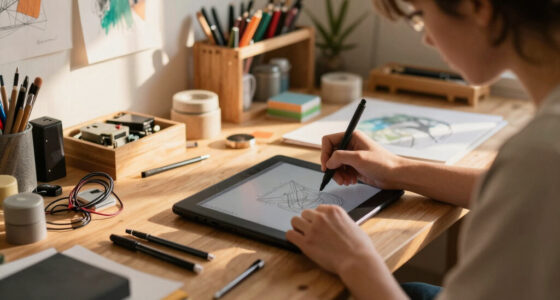
Have you ever wondered how digital artists transform their ideas into stunning artwork? The secret lies in mastering your workflow, especially how you use brushes, textures, and layers. One of the most essential skills is understanding color blending. Instead of manually mixing paint like traditional artists, digital tools allow you to blend colors seamlessly right on your canvas. You can smudge, blur, or softly transition hues to create realistic shading or vibrant gradients. This process becomes more intuitive when you customize your brushes. Brush customization lets you tailor tools to suit your style and project needs, giving you control over how colors interact on your canvas. By adjusting brush settings—such as opacity, flow, and texture—you can achieve smooth transitions or bold strokes, making your work more dynamic and expressive.
Master digital art by customizing brushes and blending colors for seamless, vibrant effects.
When you start working on a piece, think about how you want your colors to flow. Do you want a soft, airbrushed look or sharp, defined edges? Your brush settings can be fine-tuned to match these intentions. For color blending, many digital artists rely on specialized brushes that simulate traditional media like watercolor or oil paint. These brushes often have built-in textures and dynamic behaviors that help replicate real-world effects. As you experiment, you’ll discover that customizing brushes to fit your style can considerably improve your workflow. For instance, you might create a brush with a textured tip that mimics the grain of canvas or the roughness of a dry brushstroke. This way, each stroke feels more natural, and color blending becomes more organic.
Another advantage of brush customization is efficiency. Instead of switching between multiple tools, you can tweak a single brush to achieve various effects, saving time and maintaining consistency. For example, adjusting the opacity and flow sliders can help you build up layers of color gradually, creating depth and richness in your artwork. When combined with a good understanding of color blending techniques, these customized brushes become powerful tools that enhance your ability to create realistic shadows, highlights, or subtle color shifts. Additionally, understanding the importance of a high contrast ratio can significantly improve your ability to depict detailed images and achieve a professional look in your digital paintings. Layering also plays an essential role here—by working on different layers, you can experiment with blending modes, add textures, and make adjustments without risking the integrity of your entire piece.
In essence, mastering color blending and brush customization is fundamental in your digital painting workflow. It empowers you to develop a unique style and work efficiently, turning your initial sketches into polished, vibrant artworks. As you grow more comfortable with these tools, you’ll find it easier to translate your ideas into visually compelling images, all while enjoying the flexibility and control that digital mediums offer.
As an affiliate, we earn on qualifying purchases.
Frequently Asked Questions
How Do I Choose the Best Brushes for Different Styles?
To choose the best brushes for different styles, you should explore brush diversity to find options that suit your artistic goals. Experiment with various shapes, textures, and settings to enhance stylistic flexibility. Consider your project’s needs—whether you want smooth, detailed lines or textured, expressive strokes—and select brushes that give you the control and variety to bring your vision to life. Keep trying new brushes to expand your creative toolkit.
What Are the Advantages of Using Custom Textures?
Using custom textures offers you the advantage of unique texture blending, allowing your artwork to stand out. You can create patterns that perfectly match your style, giving you greater pattern customization options. Custom textures also help add depth and realism, making your digital paintings more dynamic. By tailoring textures to your needs, you enhance versatility and control, resulting in a more polished and personalized final piece.
How Can I Effectively Organize Layers in Complex Projects?
To effectively organize layers in complex projects, start with clear layer naming to easily identify each element. Use grouping and nesting to keep related layers together, reducing clutter and improving workflow. Regularly collapse groups you aren’t working on to stay focused, and consider color-coding layers for quick visual cues. This approach helps you navigate your project swiftly, making editing and adjustments more efficient.
What Hardware Is Recommended for Smooth Digital Painting?
Think of your hardware as the engine propelling your creative journey. To keep it running smoothly, choose a powerful computer with strong hardware compatibility, ensuring your software runs seamlessly. Pair it with a graphic tablet featuring a responsive pen, customizable buttons, and high pressure sensitivity. This combo offers fluid strokes and precise control, making your digital painting experience effortless. Invest in quality gear, and your art will flow like a well-oiled machine.
How Do I Prevent Digital Fatigue During Long Sessions?
To prevent digital fatigue during long sessions, take regular breaks and stay hydrated. Make sure your workspace is ergonomic, with your monitor at eye level and your chair supporting good posture. Stretch your hands, wrists, and neck periodically to reduce strain. These habits help keep you comfortable and focused, preventing fatigue and ensuring you can enjoy your digital painting sessions without discomfort.
As an affiliate, we earn on qualifying purchases.
Conclusion
As you complete your digital masterpiece, remember that brushes and textures are your tools, but layers are your foundation—the unseen roots anchoring your vision. Like a tree reaching skyward, your work grows through thoughtful stacking and blending, revealing depth beneath the surface. Embrace these elements as symbols of your creative journey, where every stroke and choice nurtures your unique voice, transforming pixels into a living, breathing story rooted in your imagination.
As an affiliate, we earn on qualifying purchases.
customizable digital art brushes
As an affiliate, we earn on qualifying purchases.
As an affiliate, we earn on qualifying purchases.
Halloween Picks
halloween
As an affiliate, we earn on qualifying purchases.